Arrival Preliminary Posting
ExFlow Arrival Preliminary Posting (APP) enables posting of costs and VAT directly from the Import Journal, before the invoice is sent out for approval. The functionality is similar to ExFlow Preliminary Posting (PP), but APP allows the posting to occur at an earlier stage in the Import Journal. Because APP is based on header amounts, it can be executed before receipt lines are matched and approval flows are applied.
A primary use case for APP is when invoices remain in the Import Journal while awaiting receipts or order matching. Arrival Preliminary Posting allows a VAT transaction and a cost accrual to be posted immediately upon invoice arrival.
Posted Vendor Ledger Entries are created on a regular balance account or a separate balance account, depending on the configuration, and are included in Cash Flow calculations.
Once the document is fully approved and posted, the APP entries are reversed automatically.
APP and PP can be used in combination. In that scenario, the APP entries are reversed when the invoice is sent out for approval and the PP entries are created.
Setup
Prerequisites
Inward Registration (SweBase) must be disabled to use APP.
ExFlow Setup
Go to: ExFlow Setup --> Arrival Preliminary Posting
| Arrival Preliminary Posting | |
|---|---|
| Arrival Preliminary Posting | Activates the APP functionality. |
| Source Code | Use an existing source code or create a new one for tracking purposes. |
| General Journal Template | Use an existing template or create a new one. |
| General Journal Batch | Use an existing batch or create a new one. |
| On Hold | A 1-3 character code added to Vendor Ledger Entries to exclude APP transactions from payment suggestions. |
| Posting Description | The description applied when posting APP entries. |
| Reverse Description | The description applied when reversing APP entries. |
| No. Series | A dedicated number series for APP postings. Required because the invoice number is not yet assigned at the Import Journal stage. |
| Gen. Product Posting Group | The posting group used for all APP postings. |
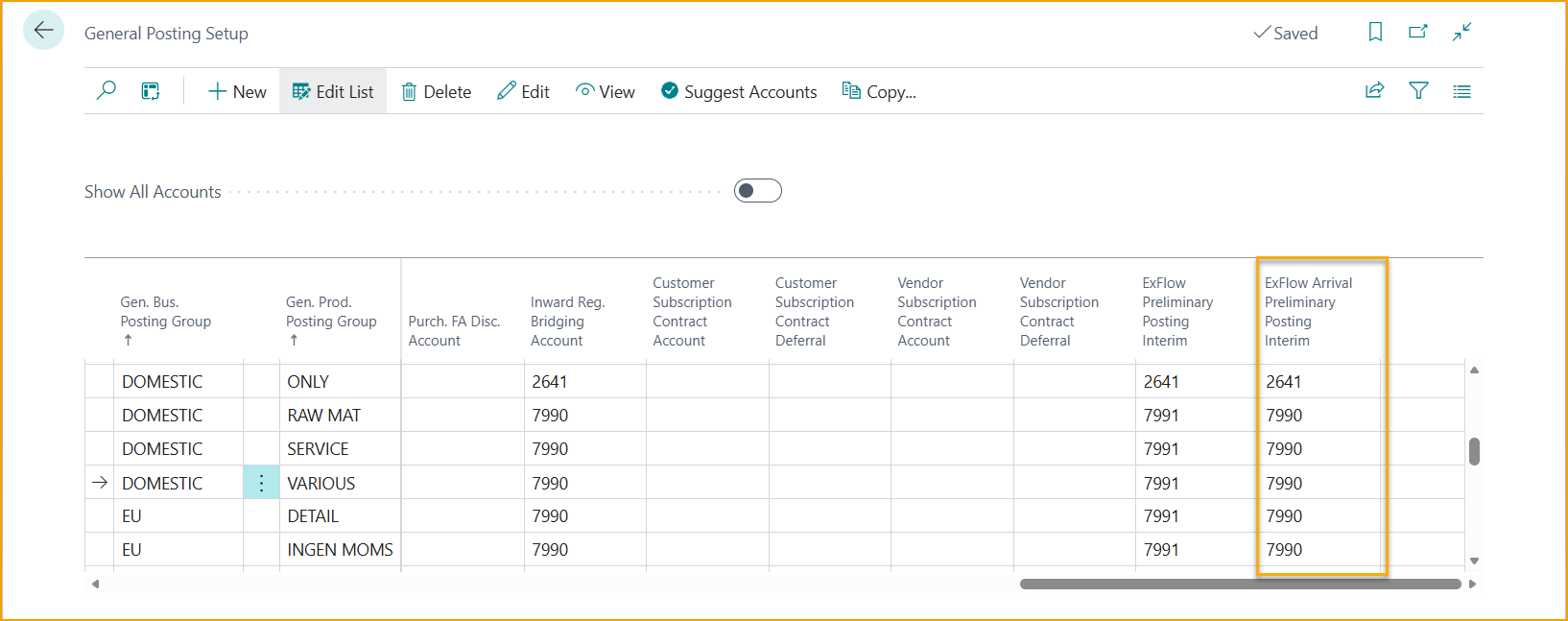
General Posting Setup
Go to: General Posting Setup --> ExFlow Arrival Preliminary Posting Interim Account
An interim account must be defined in the General Posting Setup, consistent with the Preliminary Posting configuration.
Vendor Posting Groups
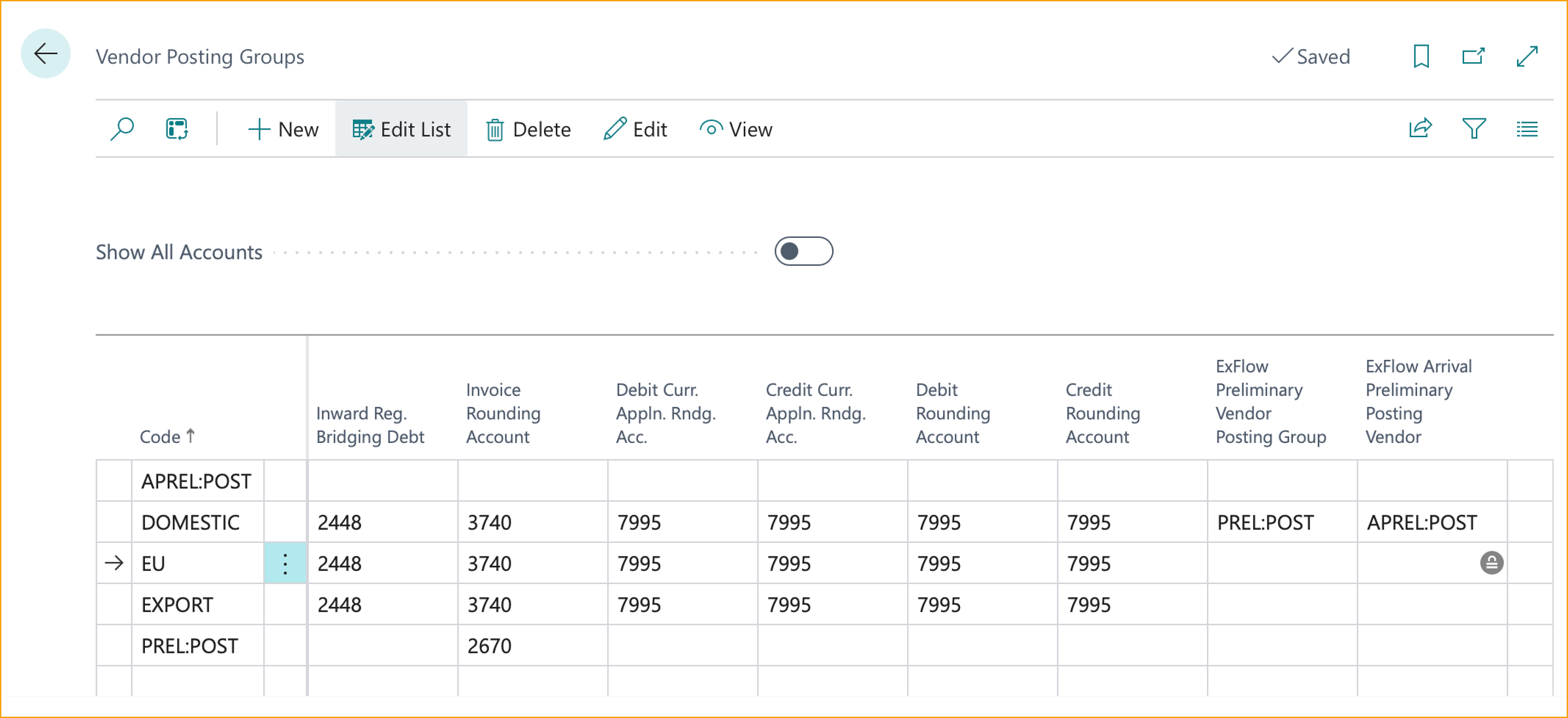
Go to: Vendor Posting Groups --> ExFlow Arrival Preliminary Posting Vendor Posting Group
APP Vendor Ledger Entries can optionally be separated into a dedicated posting group with its own account. If separation is not required, leave the field blank.
ExFlow Arrival Preliminary Posting VAT Setup
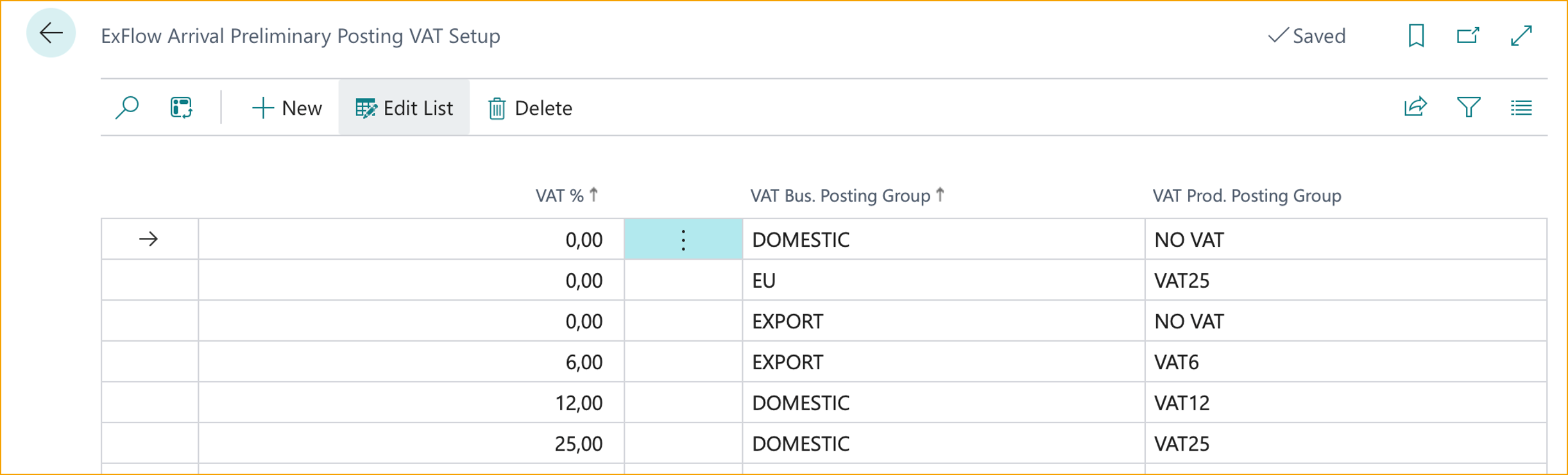
Go to: Arrival Preliminary Posting VAT Setup
The APP posting is based on header amounts in the ExFlow Import Journal. The calculated VAT from the document interpretation must match predefined values in the ExFlow Arrival Preliminary Posting VAT Setup table. The VAT percentage, combined with the VAT Bus. Posting Group, determines the VAT Prod. Posting Group used for the posting.
Workflow
Import Journal
Go to: ExFlow Import Journal
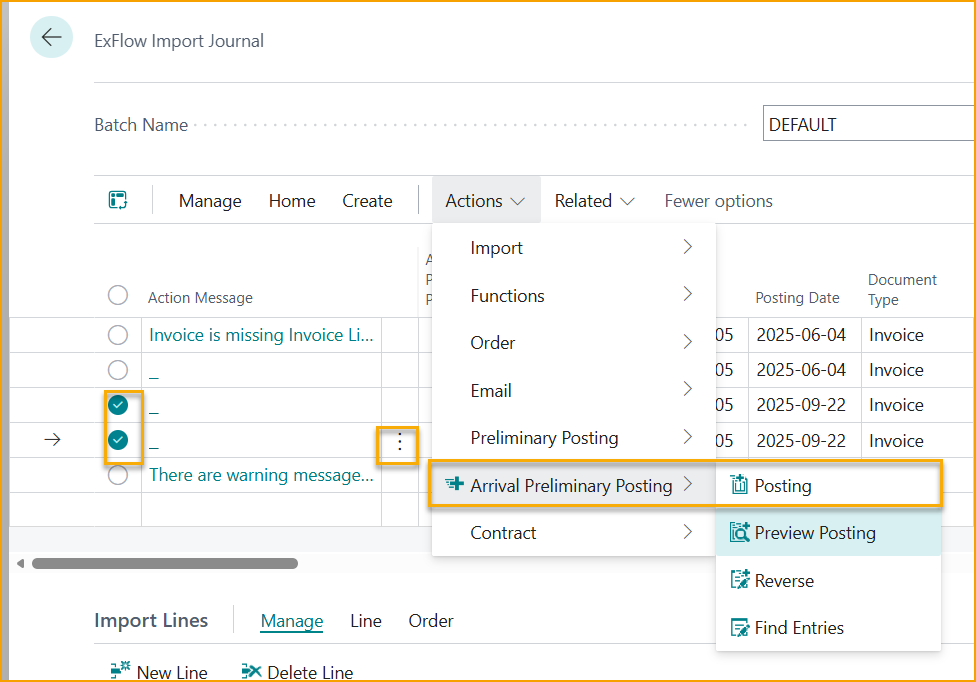
Preview: Before posting an APP, it can be previewed via Actions ---> Arrival Preliminary Posting --> Preview Posting
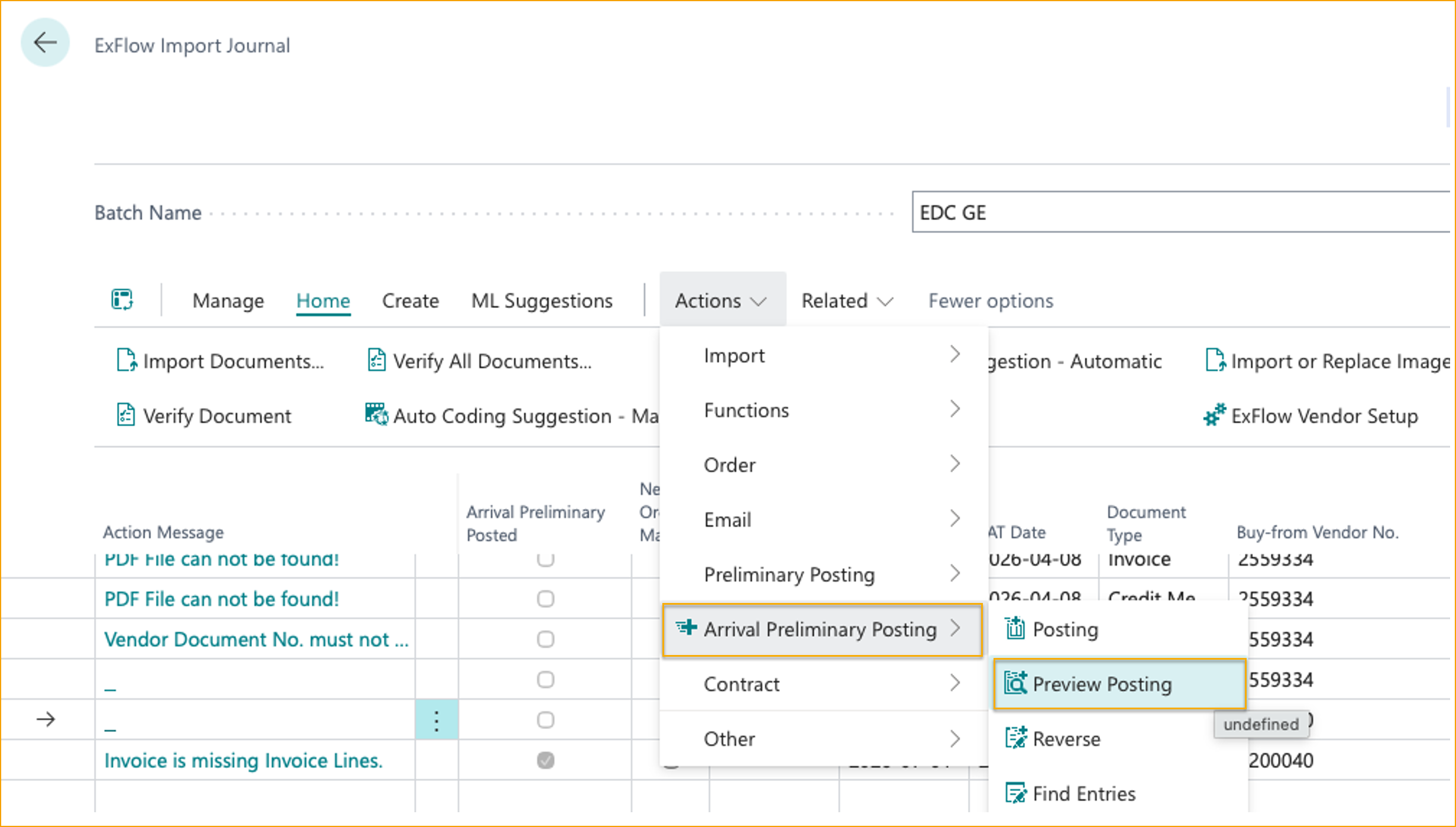
Posting: Select the invoice (or credit memo) in the Import Journal and choose Actions --> Arrival Preliminary Posting --> Posting
Batch Posting: Select multiple documents and use the posting function to process them in a single operation.
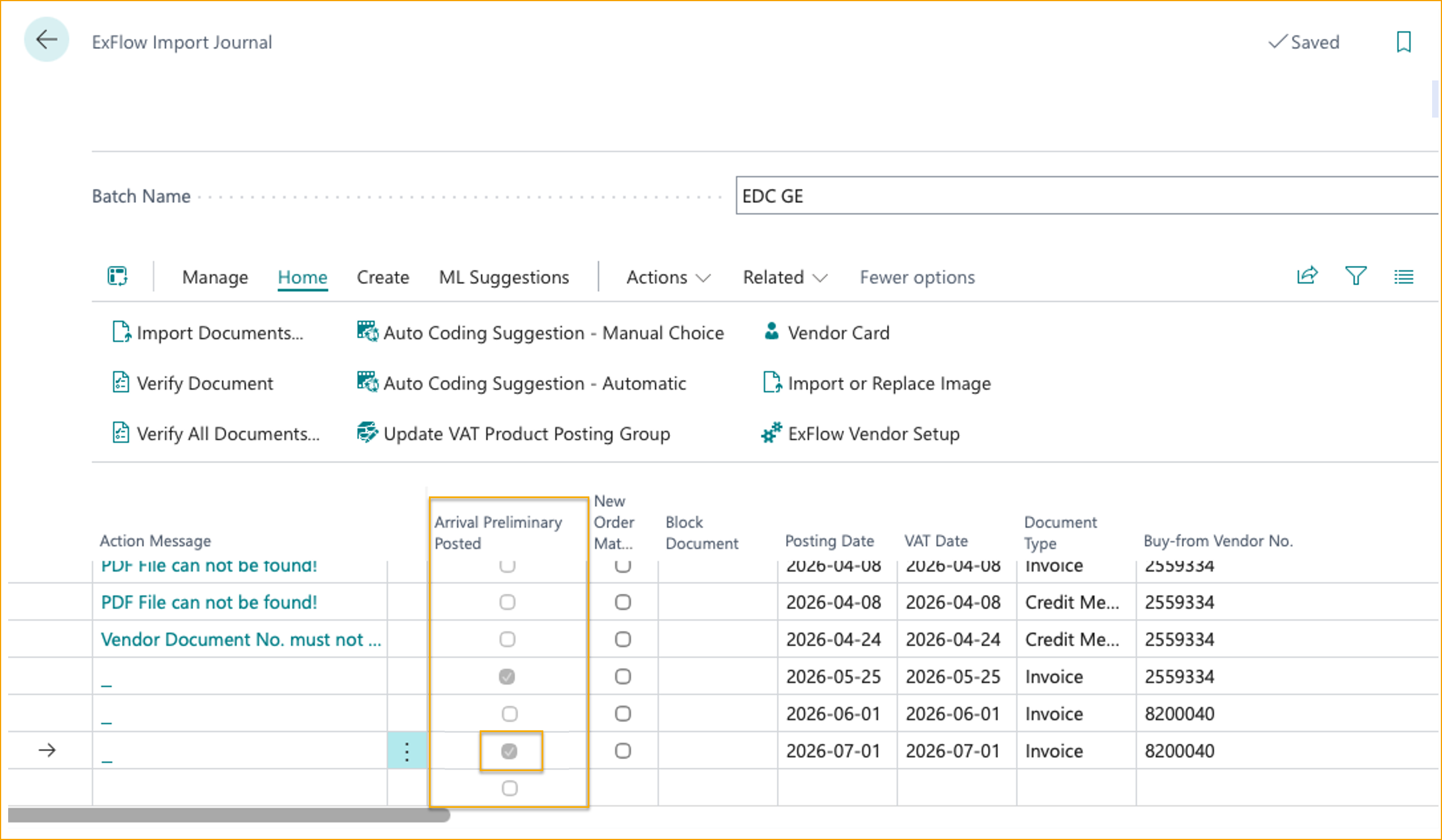
Identification: The Arrival Preliminary Posted field in both the Import Journal and Approval Status indicates whether a document has an active APP.
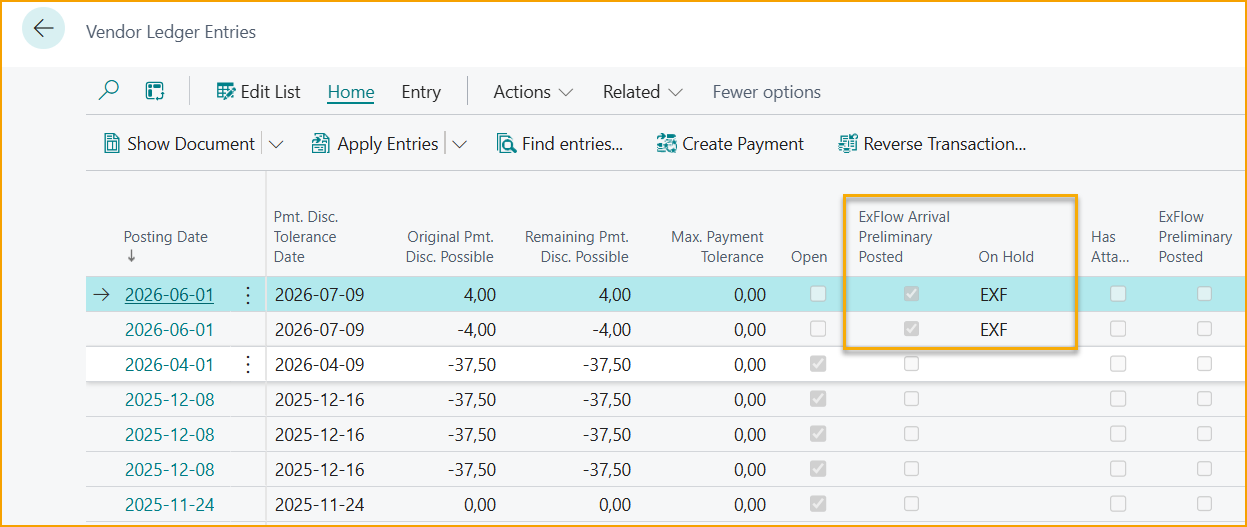
In the Vendor Ledger Entries, a dedicated field identifies APP transactions, and the On Hold code confirms exclusion from payment suggestions.
Read more about how to work in Import Journal here
Approval Status
Go to: ExFlow Approval Status
When APP is enabled in combination with Preliminary Posting, the APP entries are reversed when the invoice is sent out for approval and the PP entries are created.
From Approval Status, existing APP entries can be viewed and reversed.
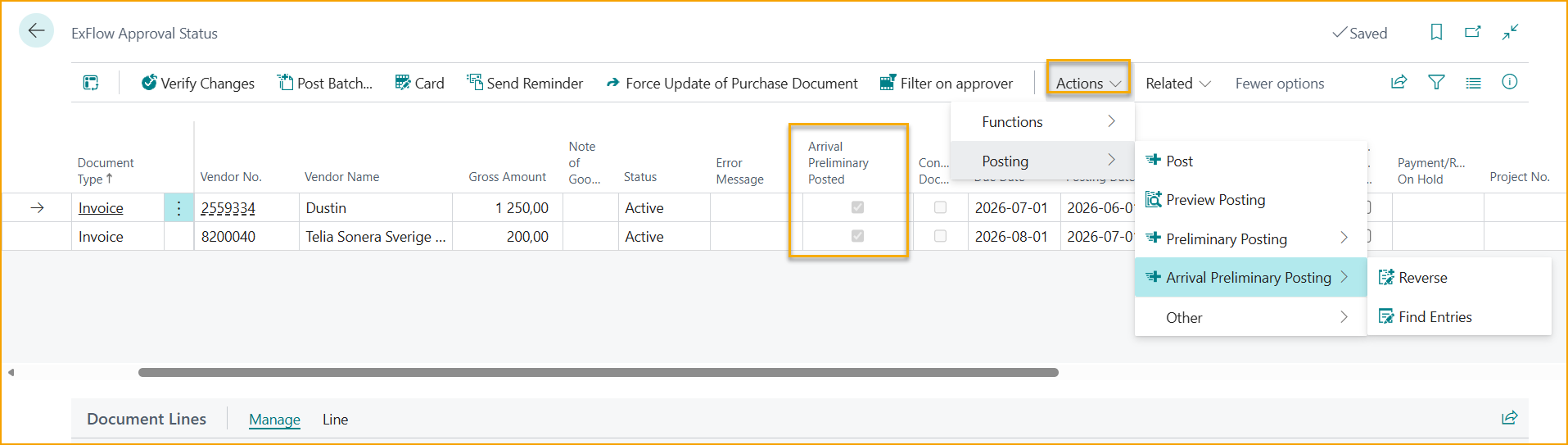
New APP entries cannot be posted from Approval Status.
When APP is enabled without Preliminary Posting, the APP entries are reversed automatically upon final posting of the invoice.
Read more about how to work in Approval Status here
Approval Status History
Go to: Approval Status History
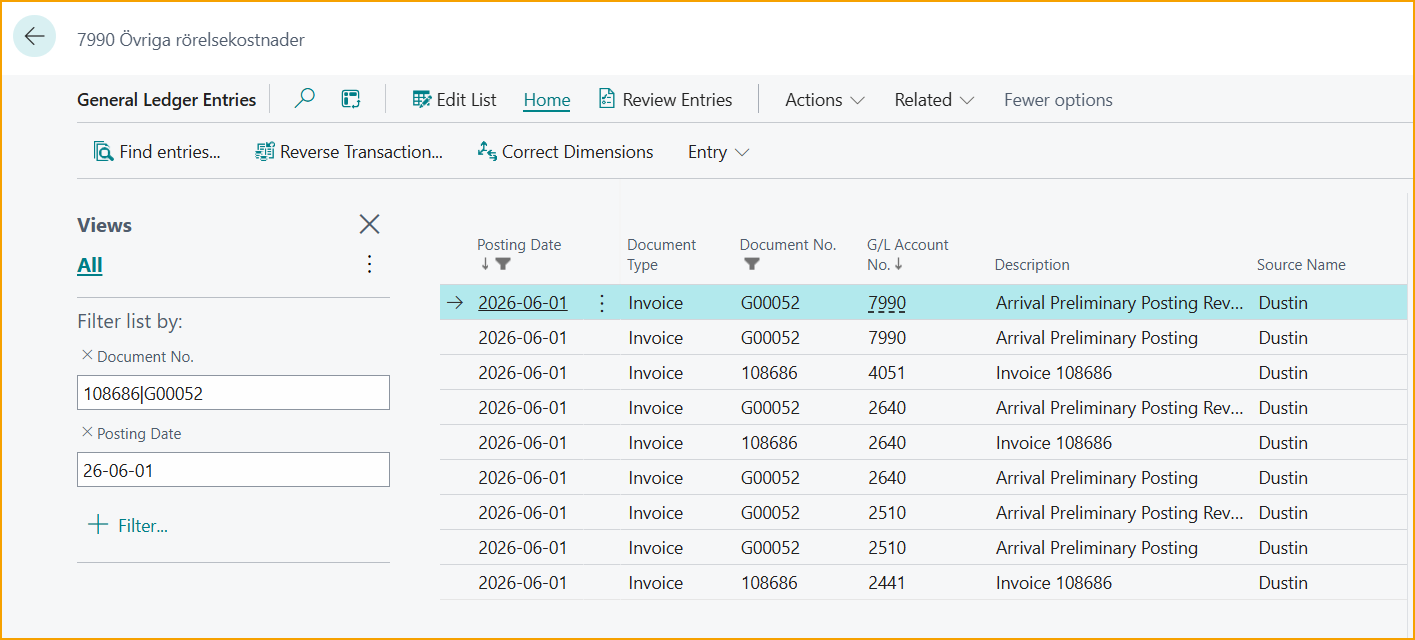
The Find Entries function in Approval Status History displays posted entries for the invoice. ExFlow automatically includes the Arrival Preliminary Posting entries (original and reversed) in the results.
Read more about Approval Status History here
Reporting
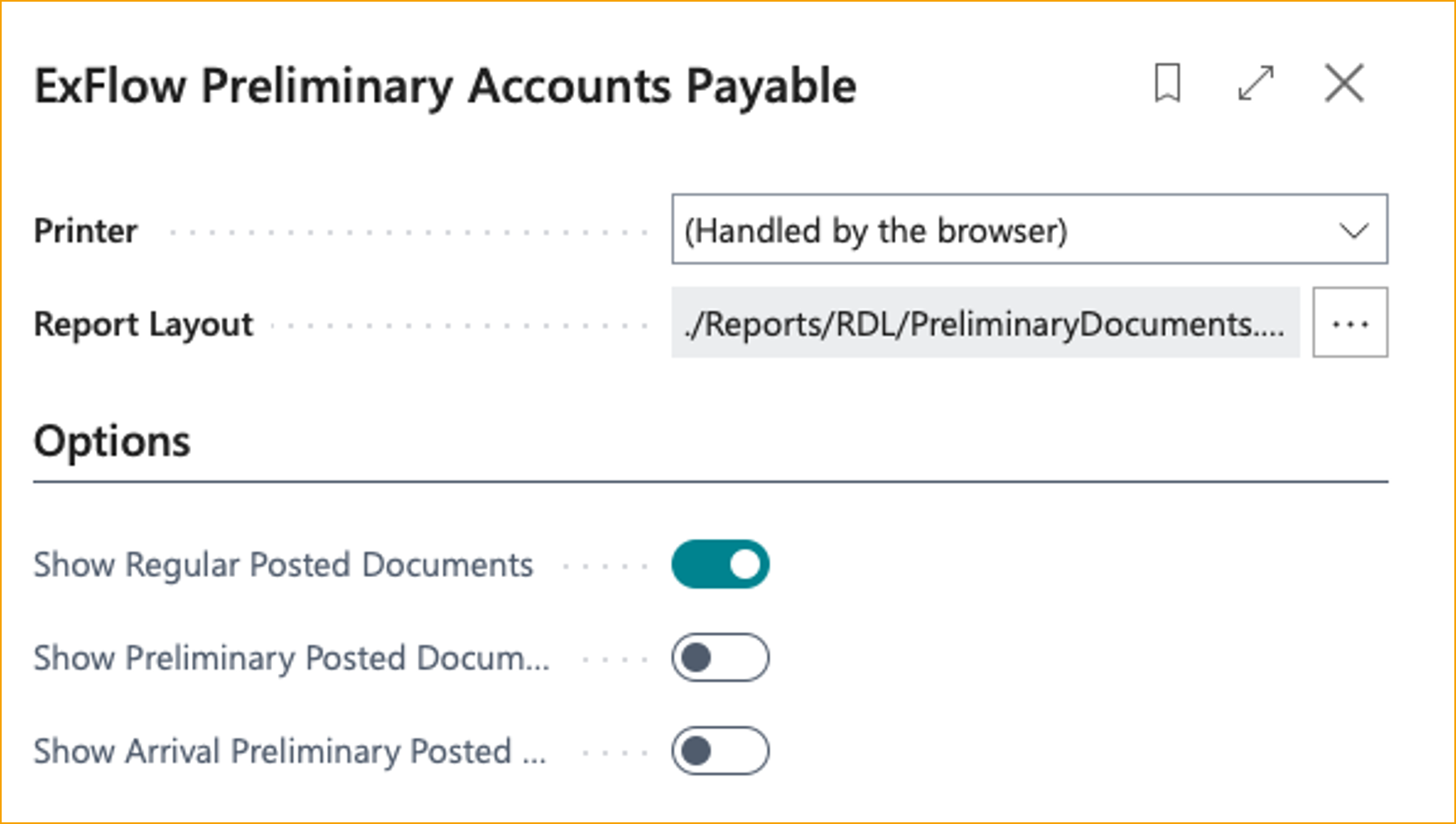
ExFlow Preliminary Accounts Payable Report
Go to: ExFlow Reports --> Documents --> ExFlow Preliminary Accounts Payable
This report provides an analysis of Vendor Ledger Entries with options to include or exclude:
- Regular Vendor Ledger Entries
- Preliminary Postings
- Arrival Preliminary Postings
Read more about this report here
Current Limitations
APP posting is currently not supported for:
- VAT percentages not defined in the ExFlow Arrival Preliminary Posting VAT Setup.
- Full VAT transactions.
- Prepayment invoices.
- Italian localization (for now)