Web log clean up
ExFlow | Periodic tasks | Clean up | Web log clean-up
Purpose
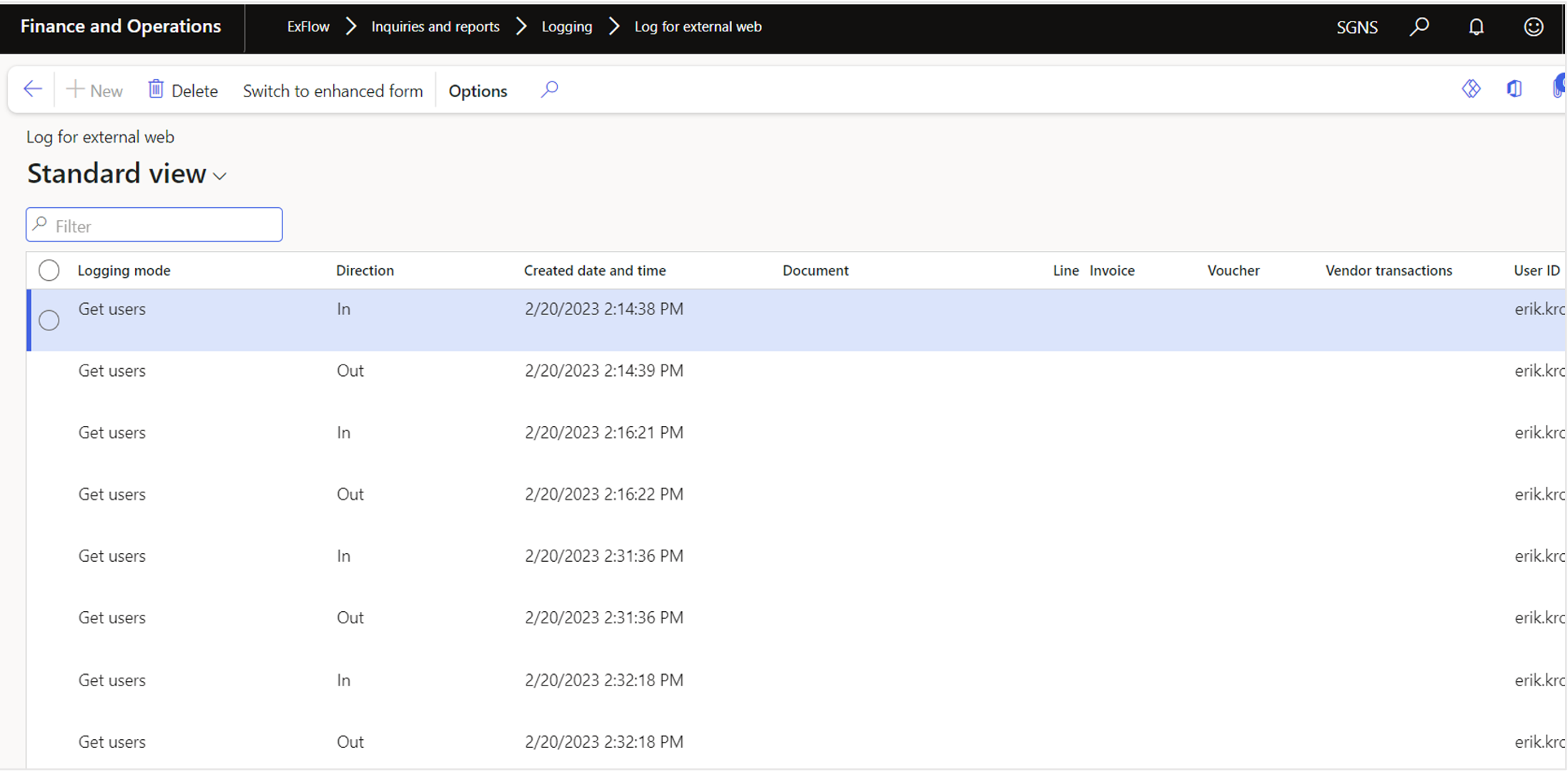
Weblog Clean-up is an operation to maintain system performance and remote unnecessary logs. This process targets the removal of records in the Inquiries and Reports logging, specifically in the Log for External Web form.
Step by step process
Web log clean-up
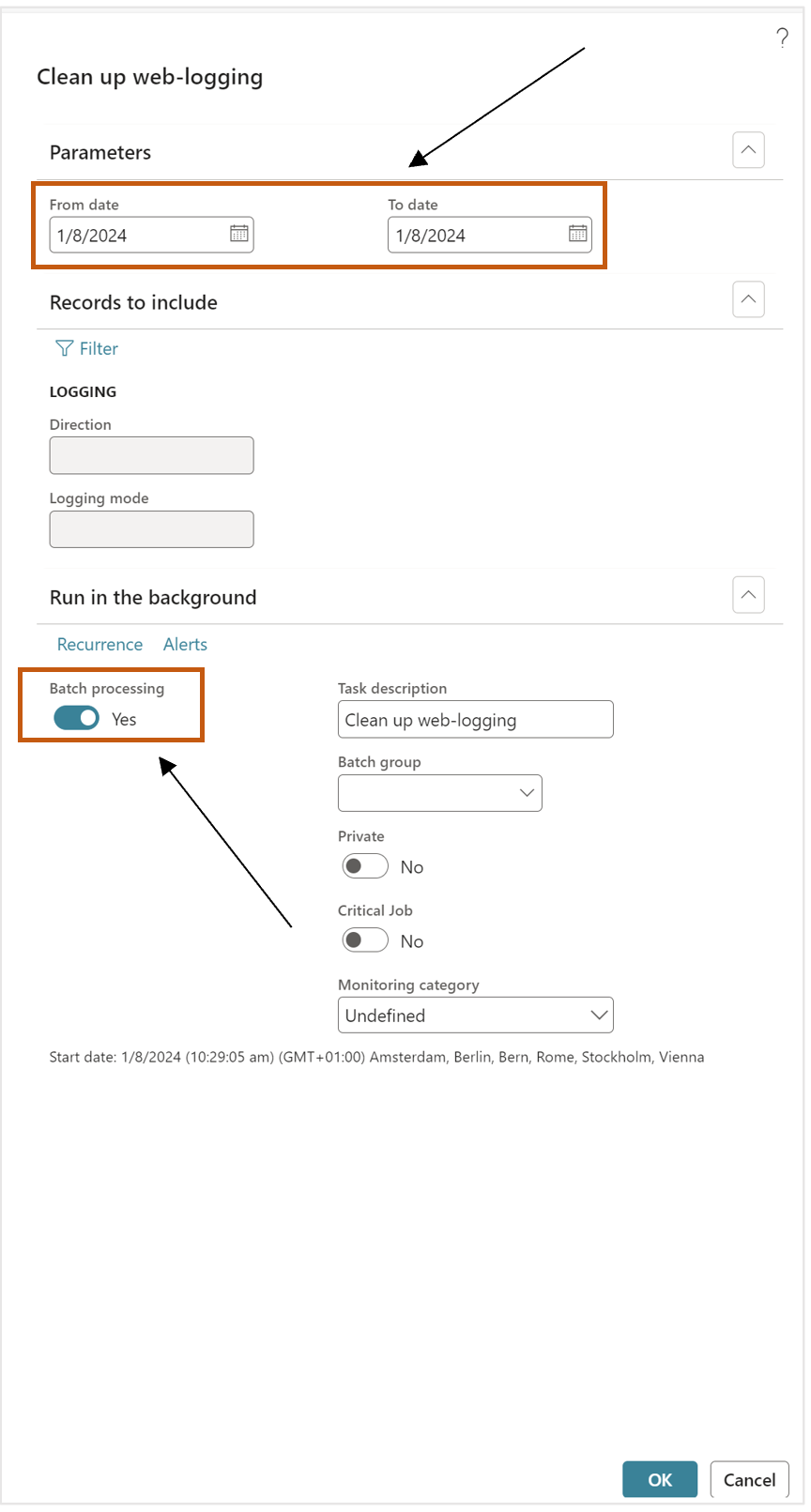
- Go to ExFlow – Periodic tasks – Clean up – Web log clean-up.
- Select dates which needs to be clean up.
- Enable batch to run in the batch.
- Select
OK - Go to ExFlow – Inquiries and reports – Logging – Log for external web.
- Data will be removed when batch finished.
Class
EXF_cWebLogCleanup
Affected tables
- EXF_tLoggingWeb - matching web log records are deleted.
Functional explanation
The job removes web log entries created within the selected From date and To date.
Important note If the dates are left blank, both default to today. Confirm the date range before running the job.
| Name | Class | Affected Table |
|---|---|---|
| ExFlow AP - Log cleanup | EXF_cLogCleanup | EXF_tLoggingWeb EXF_tDocumentLineApproverLog EXF_tDocumentLineDimensionLogHead EXF_tDeletedLinesInvoiceHistory |
| ExFlow AP - Import history data cleanup | EXF_cImportTableLogCleanUp | EXF_tImportTableLog (Only the contents of the XML / XMLRaw fields are cleaned for old records) |
| ExFlow AP - Web log cleanup | EXF_cWebLogCleanup | EXF_tLoggingWeb |
| ExFlow AP - Invoice line history cleanup | EXF_cInvoiceLineHistoryLogCleanup | EXF_tDocumentLineApproverLog EXF_tDocumentLineDimensionLogHead EXF_tDeletedLinesInvoiceHistory |
| ExFlow AP - Delete temporary journals separately | EXF_cNoPostingAtArrivalDeleteTempJournals | LedgerJournalTable (Related journal transaction data is deleted indirectly through the standard LedgerJournalDeleteTransaction process) |
| ExFlow AP - Clean up duplicate attachments | EXF_cDocuRefCleanup | DocuRef |