Mexico
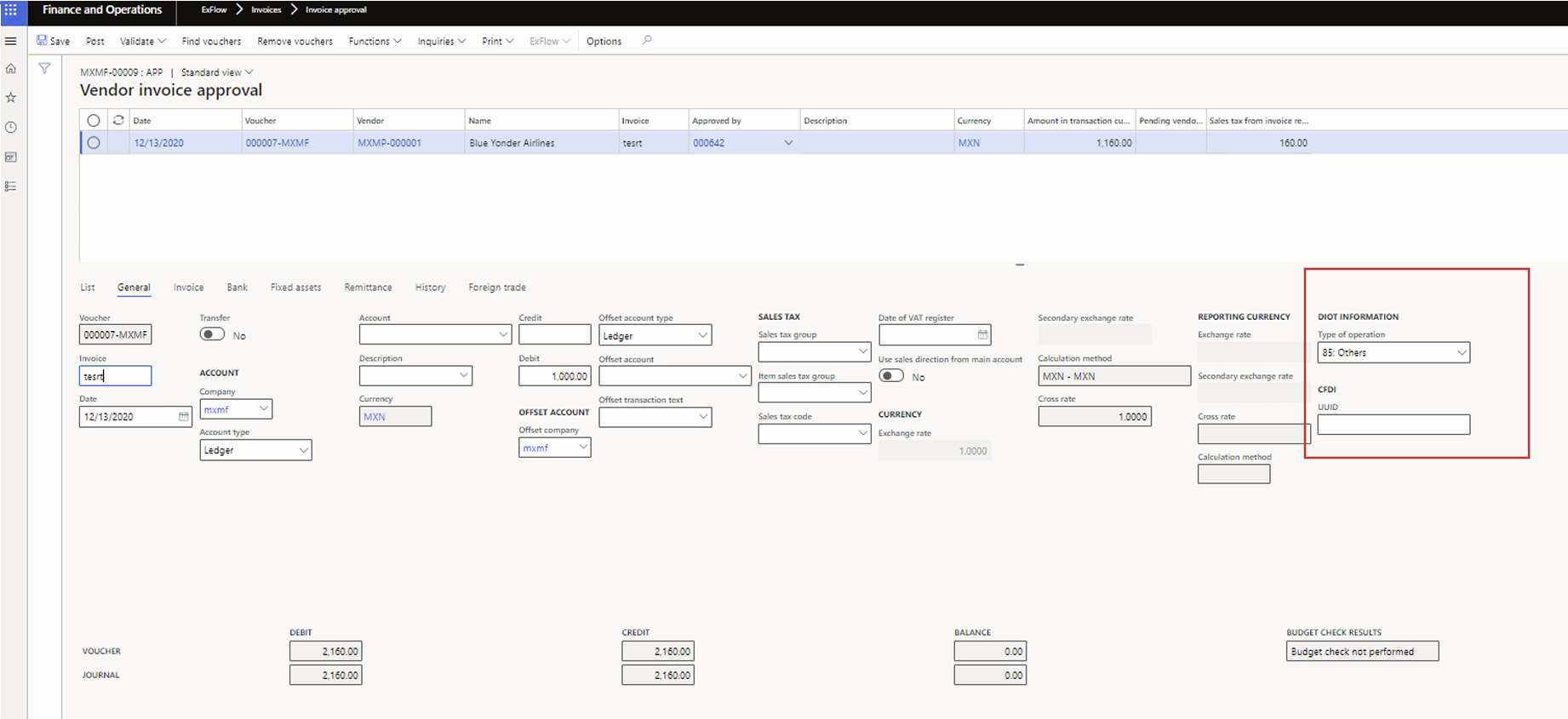
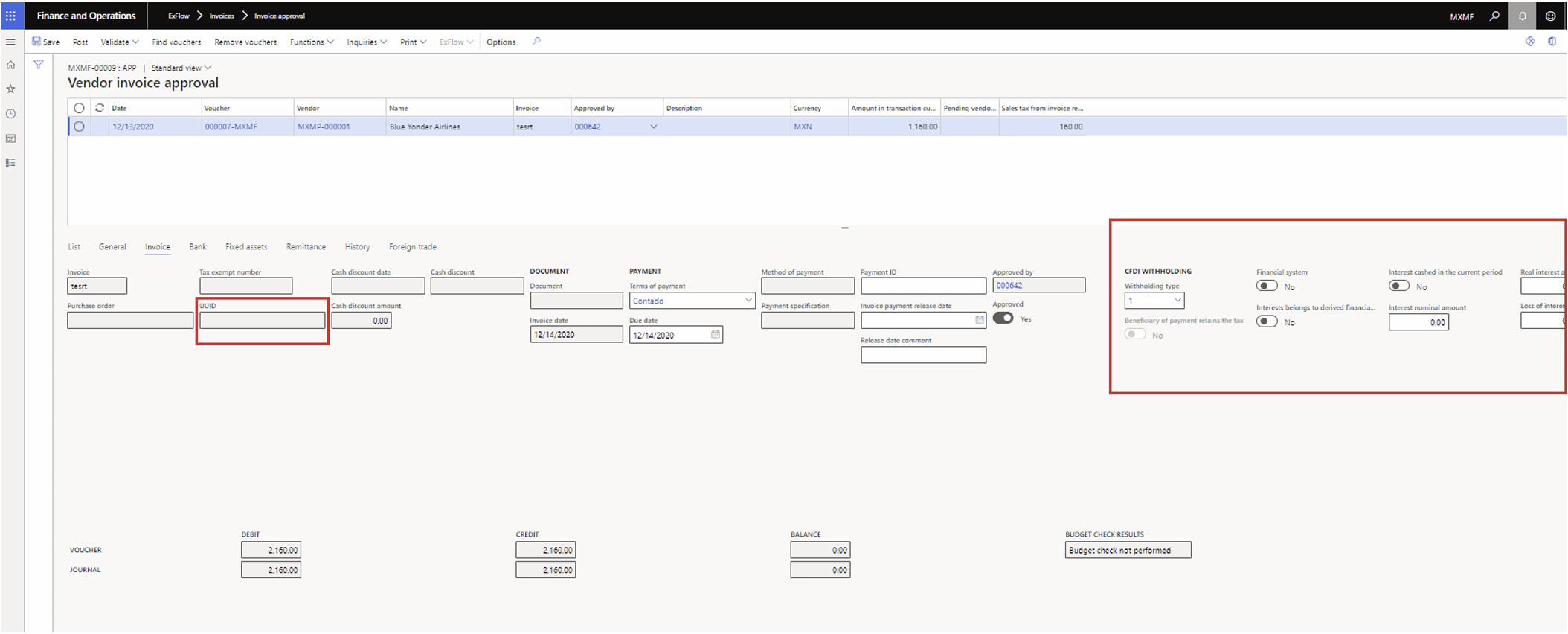
Mexican regulations require additional data to be populated when posting vendor invoices.
How to setup Mexico LE in D365: https://learn.microsoft.com/en-us/dynamics365/finance/localizations/iberoamerica/mexico
Mexican Localization - Customization to handle With-Holding TAX Fields
Additional data fields are exposed to Truvio AP Automation forms as part of supporting the Mexican localization. This is made available in release 2021.R2. version 2.10.0.
Background and local regulations
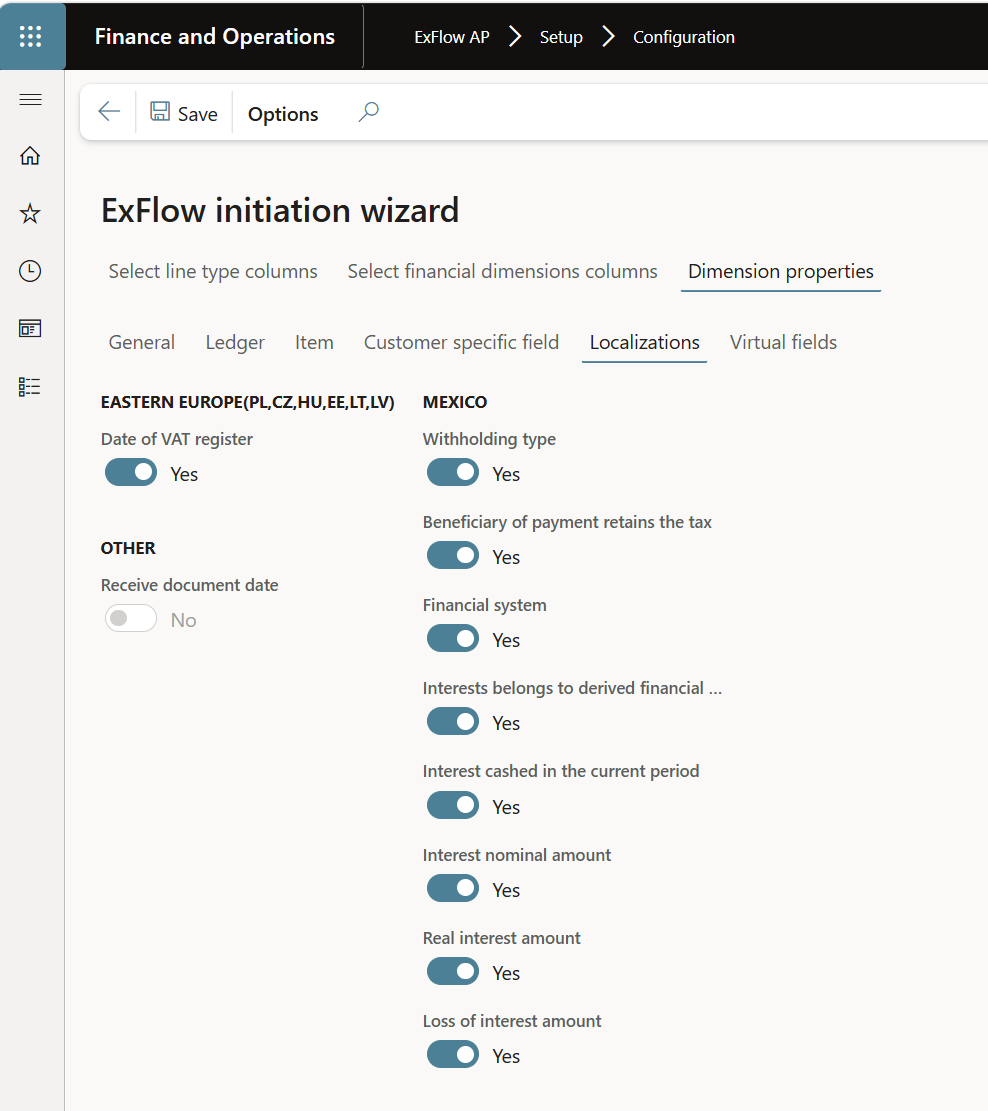
In order for the fields to be visible, you need to enable them from ExFlow AP Configuration prior to testing. (Mexican Localization)
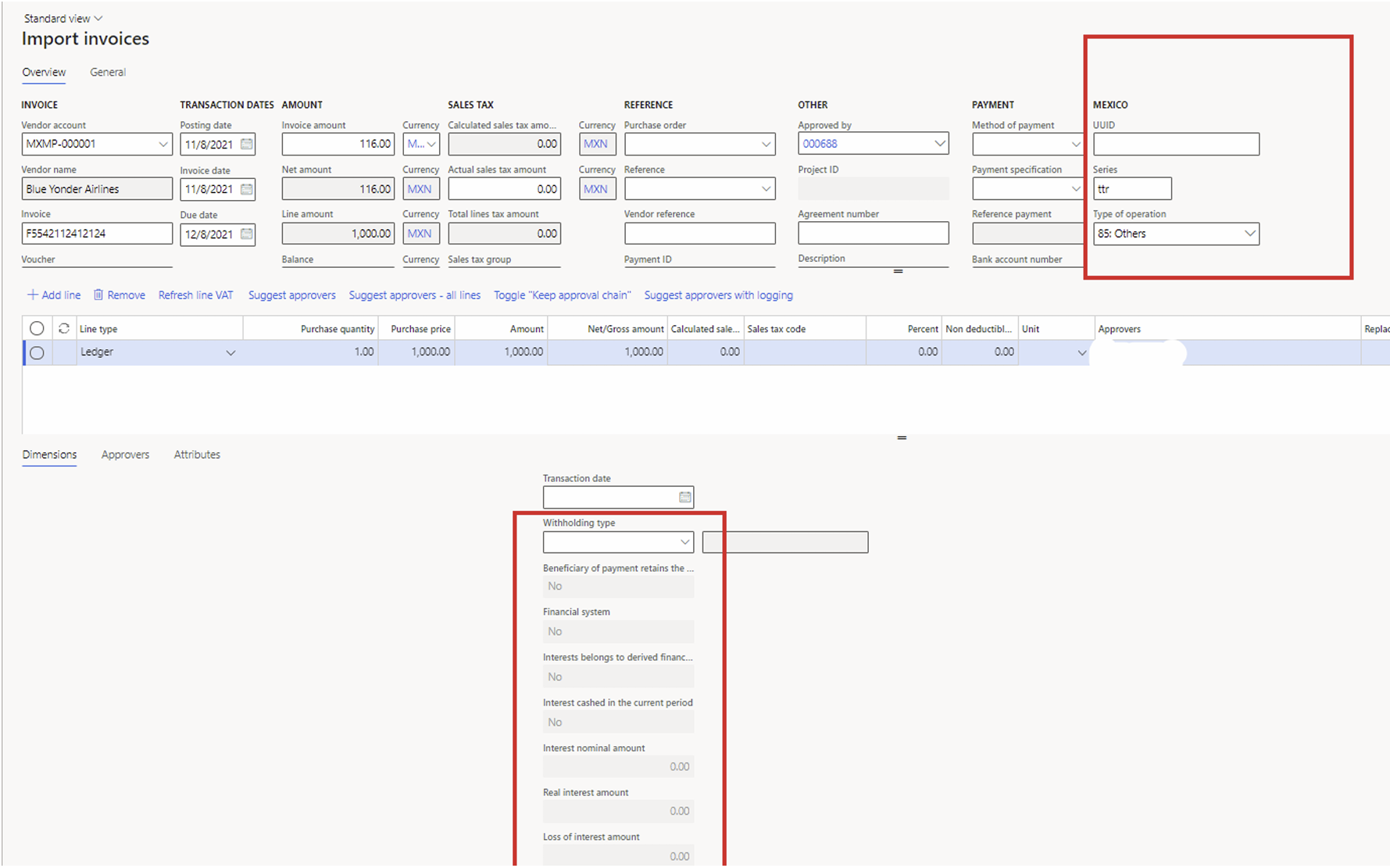
Import Form
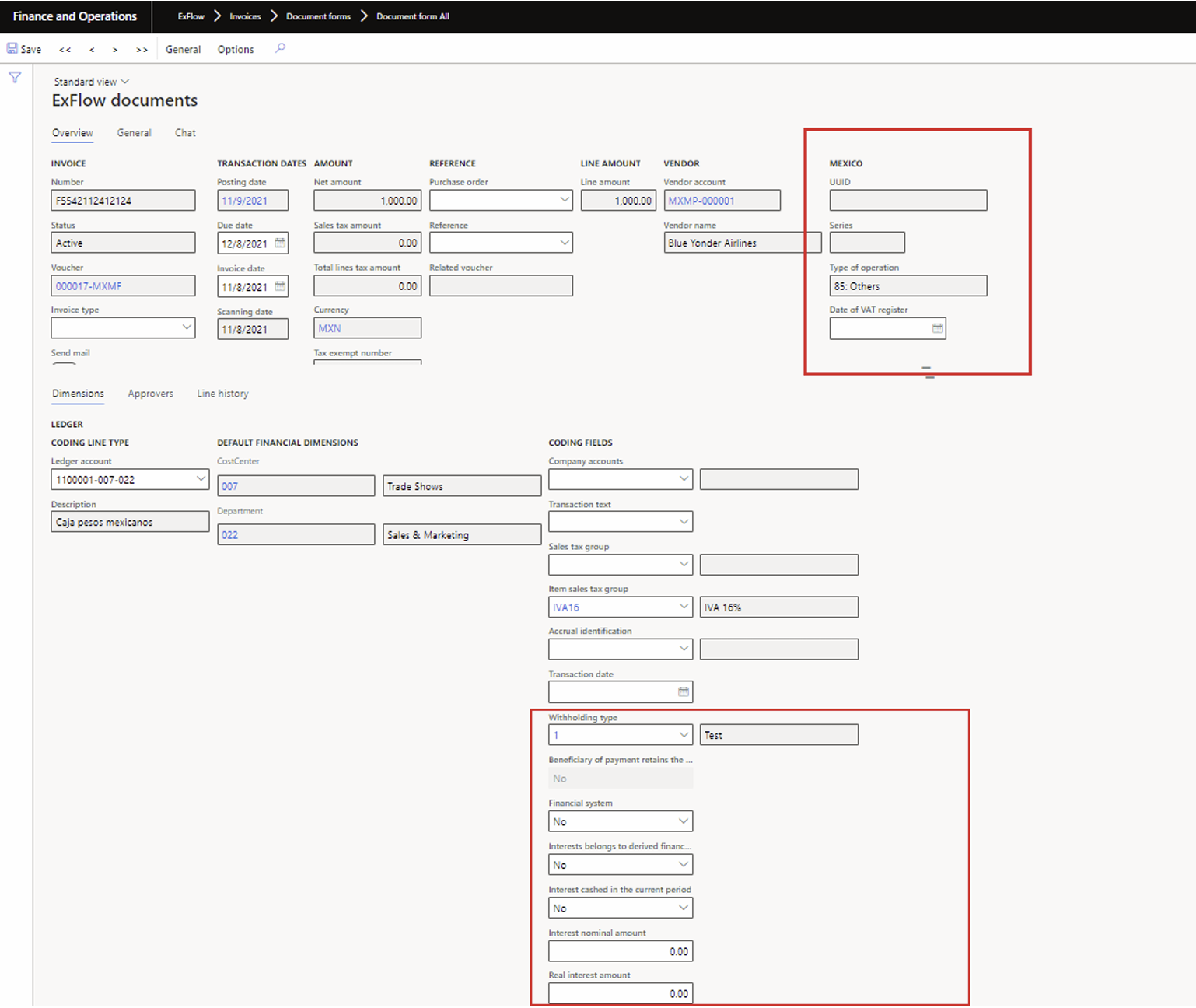
Document form
My ExFlow documents
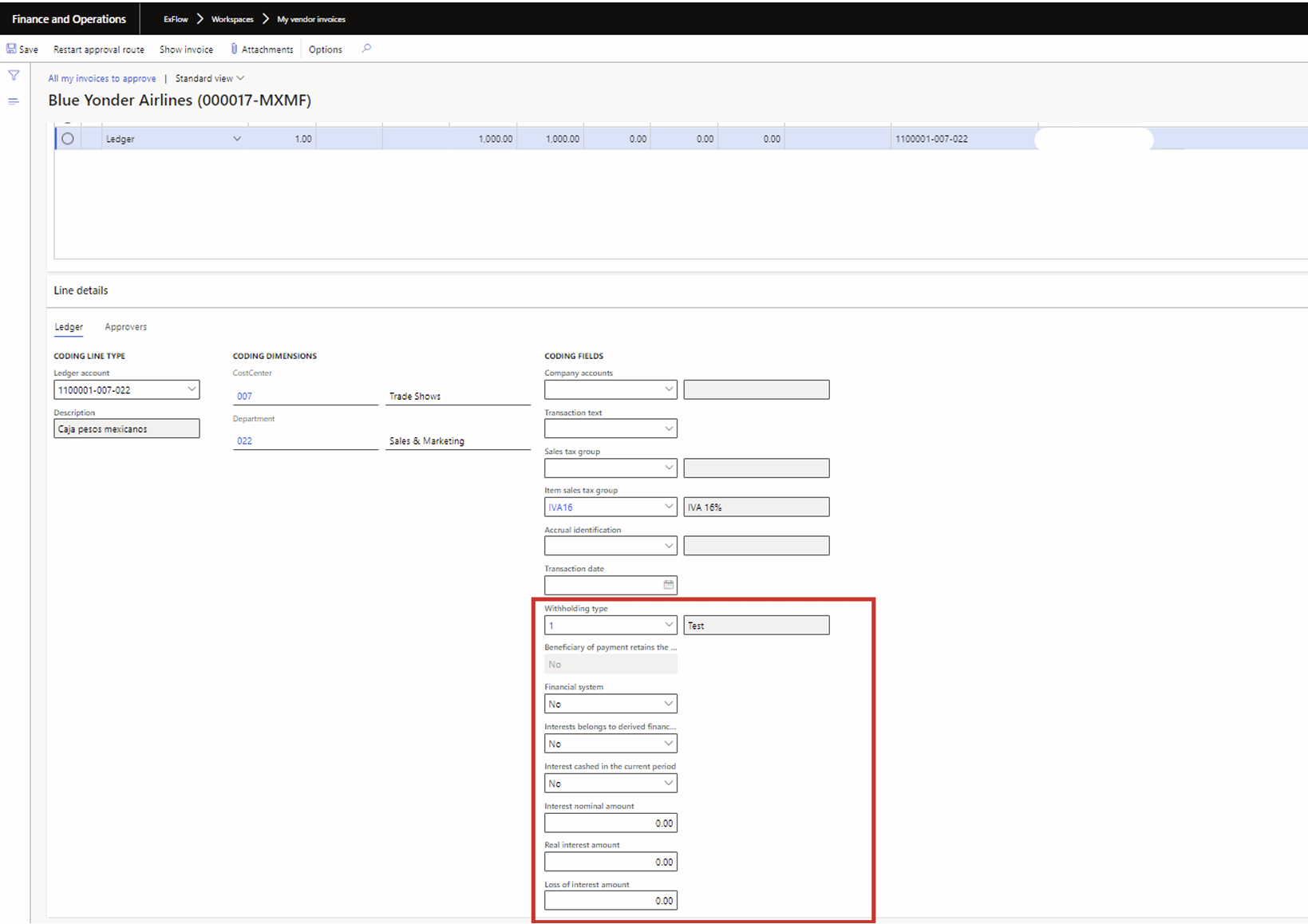
Vendor Invoice Approval Journal
Setup and Configuration
Legal entity specific setup is needed for D365 and also ExFlow AP, the Mexico specific fields that exist in the standard invoice register and approval form do exist in ExFlow AP Import history, import form, document form, and approval forms also exist in invoice approval form.
ExFlow AP reflects all the logic in standard D365 FO regarding inheritance and autofill. These fields are can only be enabled for a Mexican legal entity, based on company address.
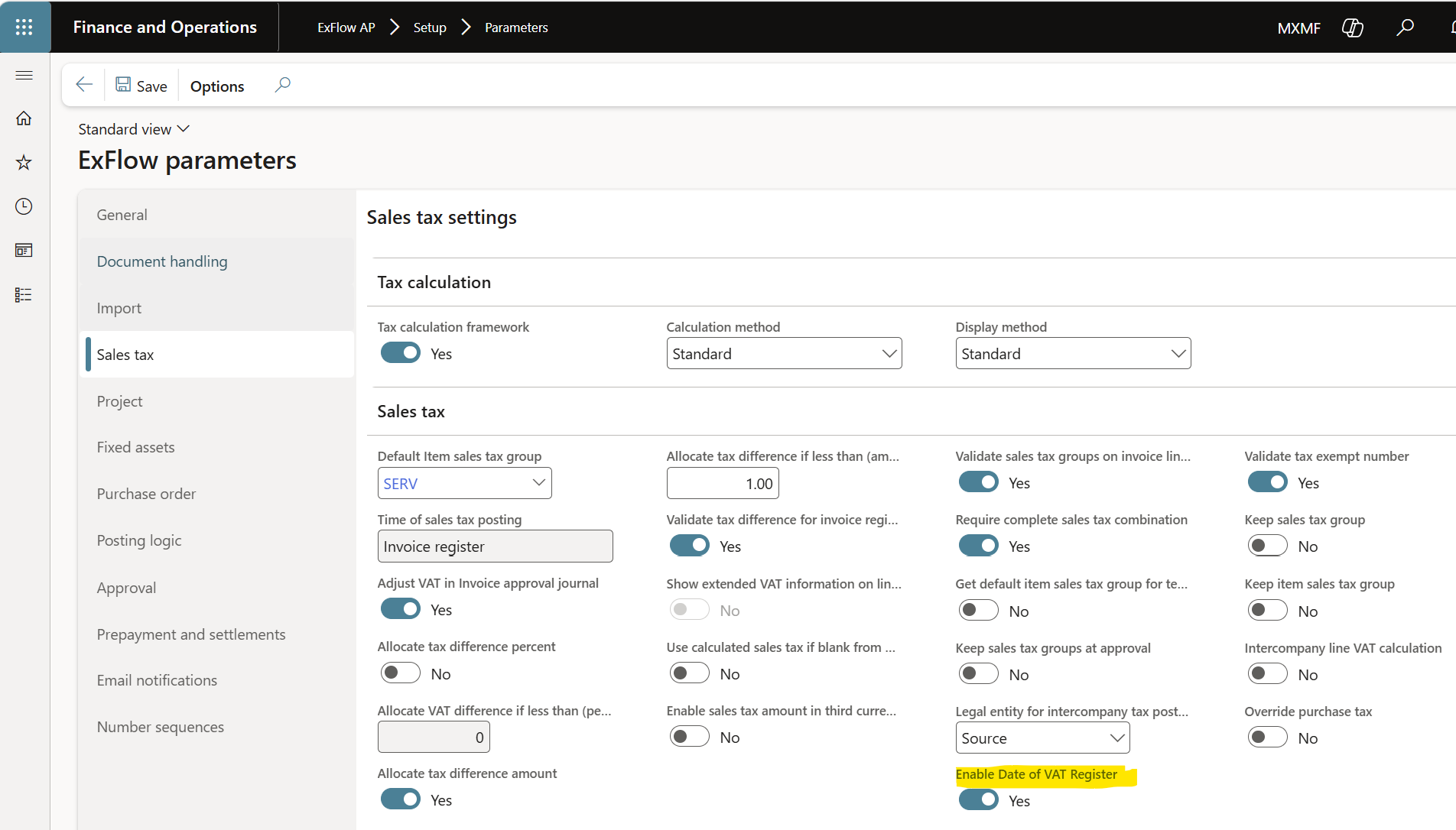
Parameters
- Navigate to ExFlow AP -> Setup -> Parameters
- Select tab for Sales tax
- Enable "Date of VAT register
XML import
The UUID is imported through the XML file in a field called UUID MX in import history.
Import form
The following fields are considered AP only and to be configured in D365 (all line types including
PO).
- If needed, Date of Vat register is now enabled for Mexico (using existing parameters)
- UUID, series, and CFI withholding type is now enabled on the Invoice header
- Doit operation type is now added to the header
The expanded CFDI fields are line level only, thus they’re grayed out on the invoice register, and they're added as coding dimensions together with a group in columns, to make this more general to allow updates on these in ExFlow Web if needed. The same thing is for the doit operations type which is defaulted according to setup.
Document form
All fields except the extended CFDI field are grayed out in document form. The Doit type defaults from account selection.
Changes to logic
Fetch voucher
For fetch voucher, both in manual step and through the batch all Mexican fields are fetched based on the values set in ExFlow (All defaulting happen earlier so exact values can be used).
Purchase order posting
The same fields exist in pending invoices as in inv register/approval. The values default when posting a purchase order invoice from ExFlow, the same way they default in standard in invoice register journal. Any fields that are editable are populated based on the ExFlow data for these fields.
Configuration Wizard
- Navigate to ExFlow AP -> Setup -> Configuration
- Select Add/delete Columns
- Dimension Properties, and tab Localizations
- Enable the fields -> Finish