Eastern Europe (PL,CZ,HU,EE,LT,LV)
Date of VAT Register
Description
Managing VAT dates is essential for compliance with tax regulations. ExFlow supports the Date of VAT register and Date of Vendor VAT. Additionally, ExFlow offers functionality for service tariff number and receive document date.
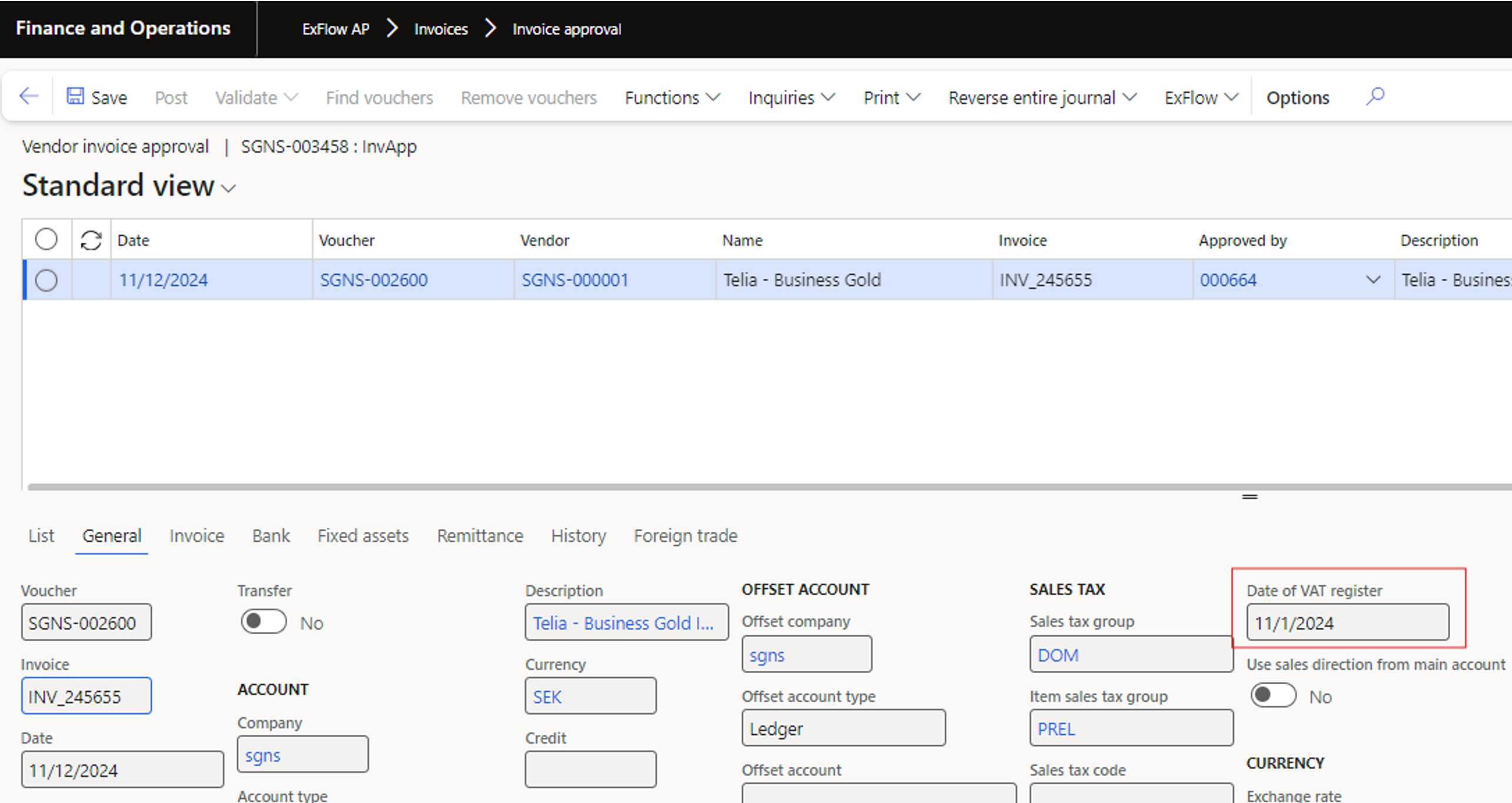
This date indicates when the VAT amount is deducted for a purchase. It is crucial for VAT reporting, ensuring that VAT is accounted for in the correct period. The Date of VAT Register is set during invoice posting and is used in various VAT reports to meet local tax requirements.
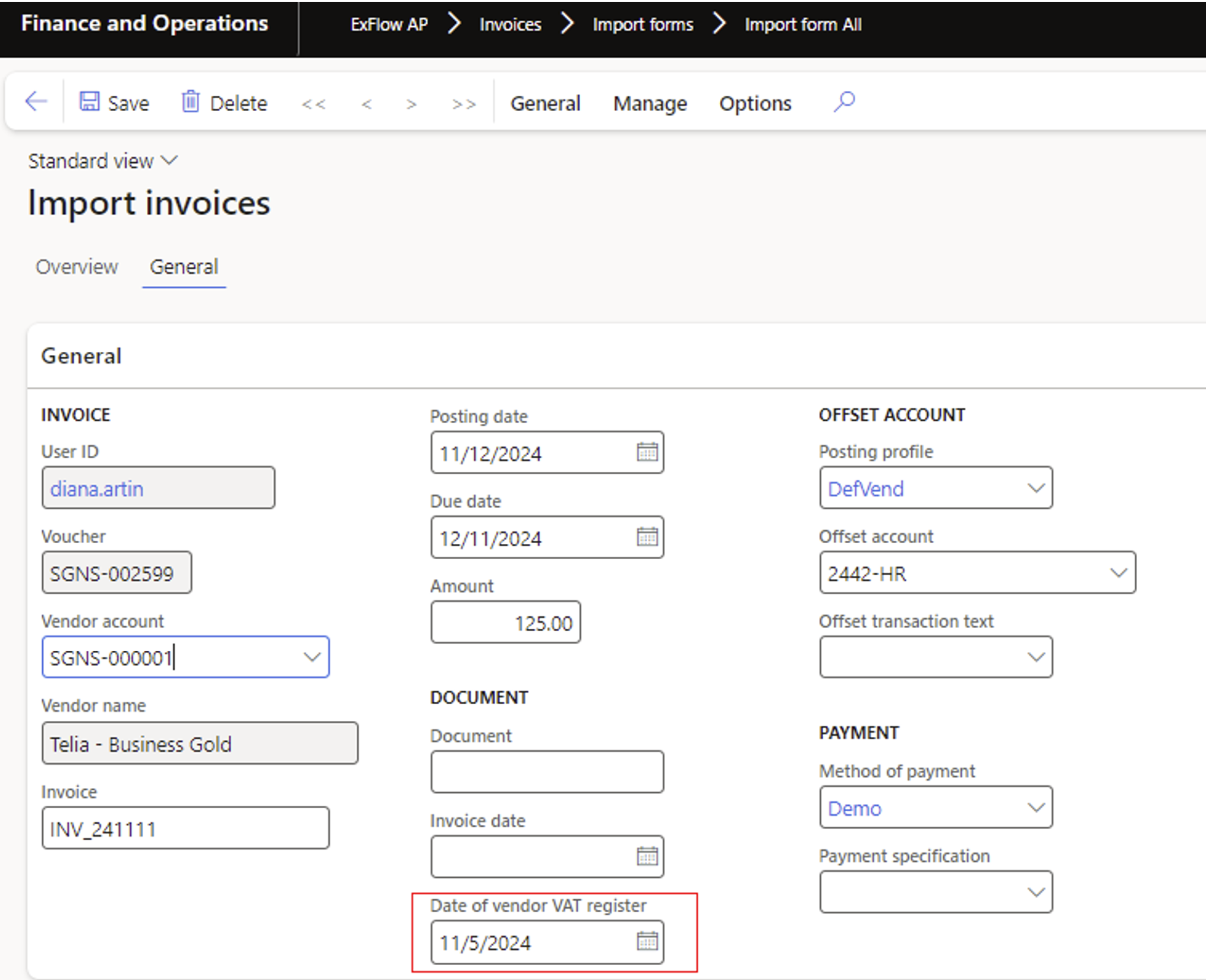
Date of Vendor VAT Register
This date defines the taxable supply date for a purchase. It facilitates accurate VAT reporting for purchases and is beneficial for postponed VAT deduction scenarios.
Receive document date
The received document date is important for VAT reporting and is used for various reporting purposes. When an invoice is received, it must be registered in the system with the actual date it was received.
Service tariff number
Is used to classify services for customs and VAT reporting purposes.
Setup
ExFlow | Setup | Configuration | Dimension properties | Localizations
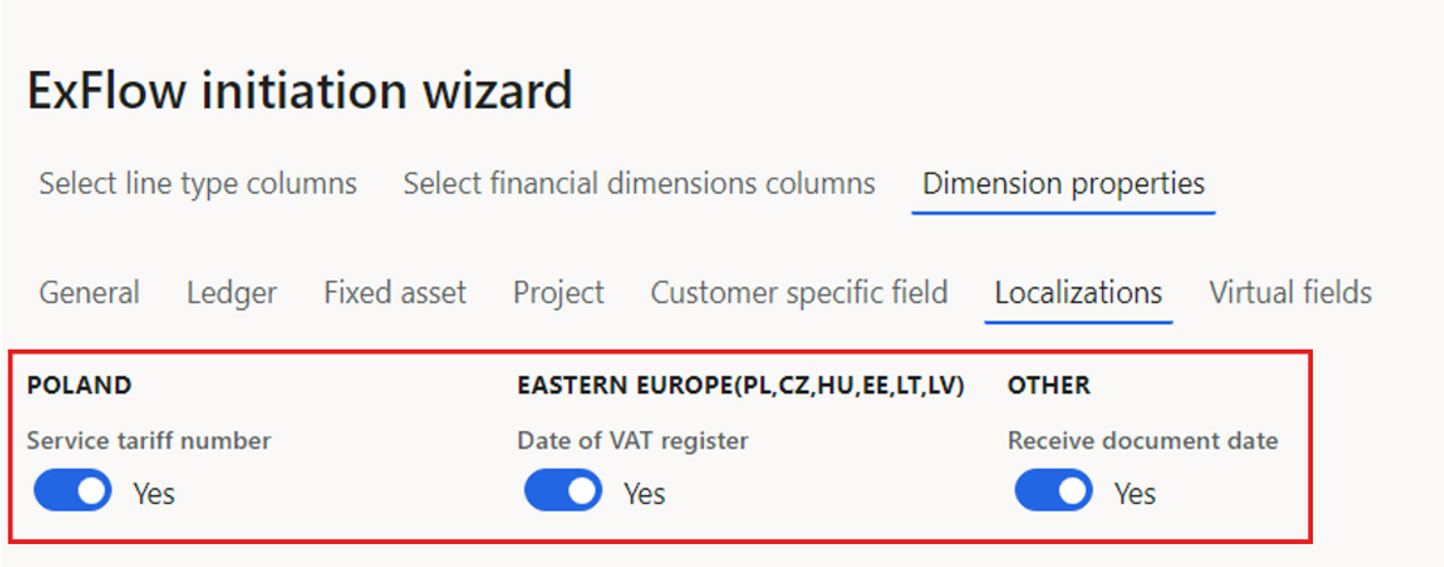
| Description of parameters | |
|---|---|
| Service tariff number | Enable this option if you want to include service tariff number. |
| Date of VAT register | Enable this option if you want to include the Date of VAT register. |
| Receive document date | Enable this option if you want to include receive document date. |
Date of VAT register
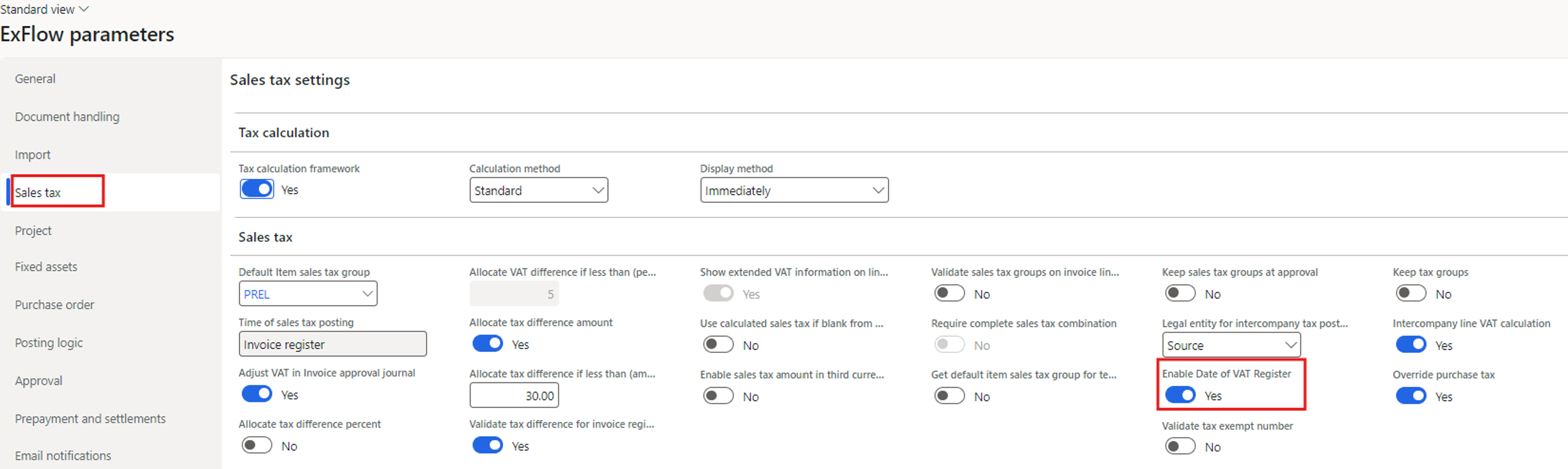
ExFlow | Setup | Parameters | Sales tax
To enable Date of VAT in ExFlow, you must first enable the feature in Standard D365FO.
For more detailed information see Microsoft learn:
https://learn.microsoft.com/en-us/dynamics365/finance/localizations/united-kingdom/emea-tax-point-date
To use additional sales tax transactions, the Date of VAT Register must be enabled in ExFlow.
Process
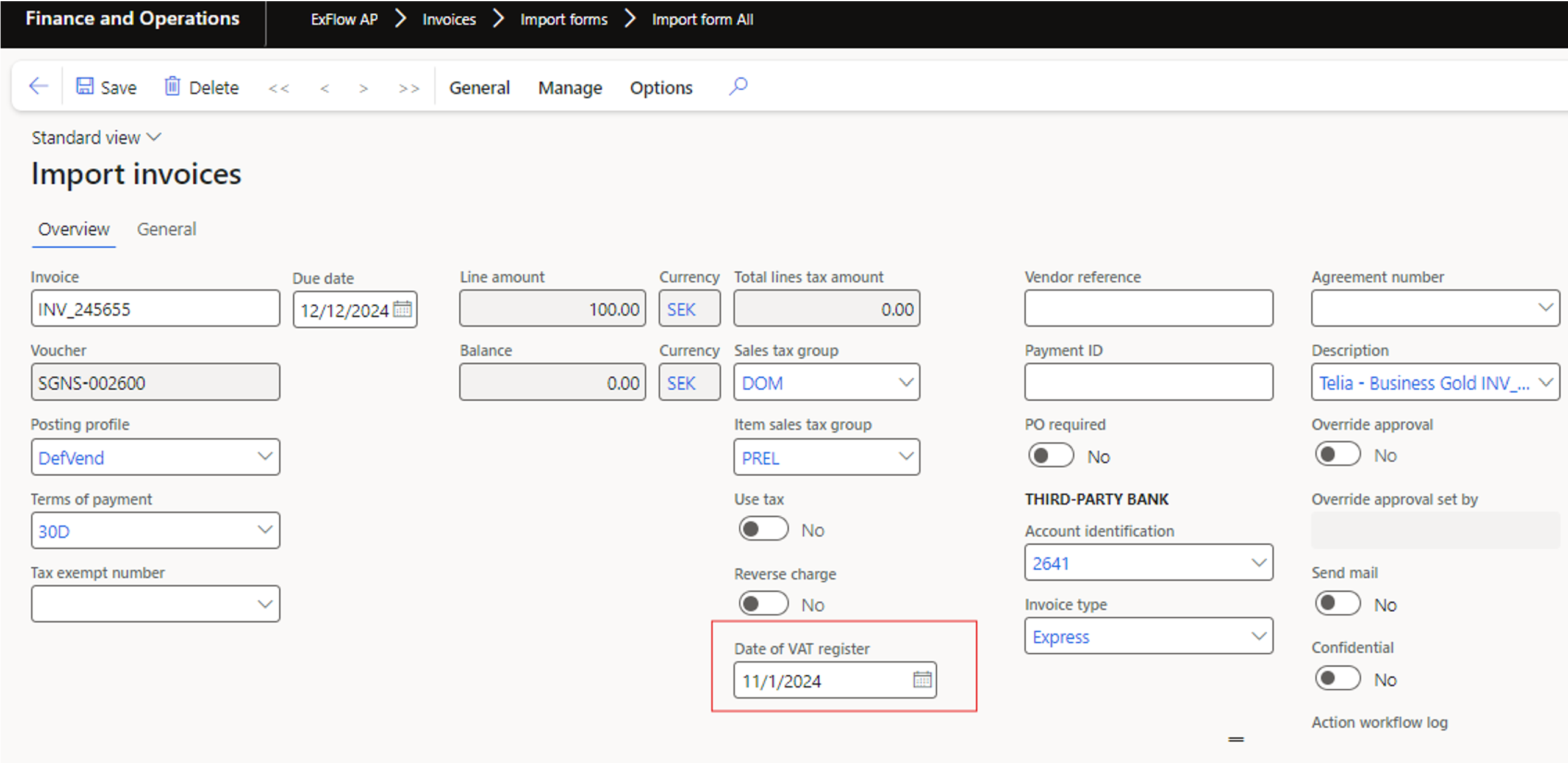
Import form
The captured Date of VAT Register will be set on the invoice header in Import form.
Invoice approval
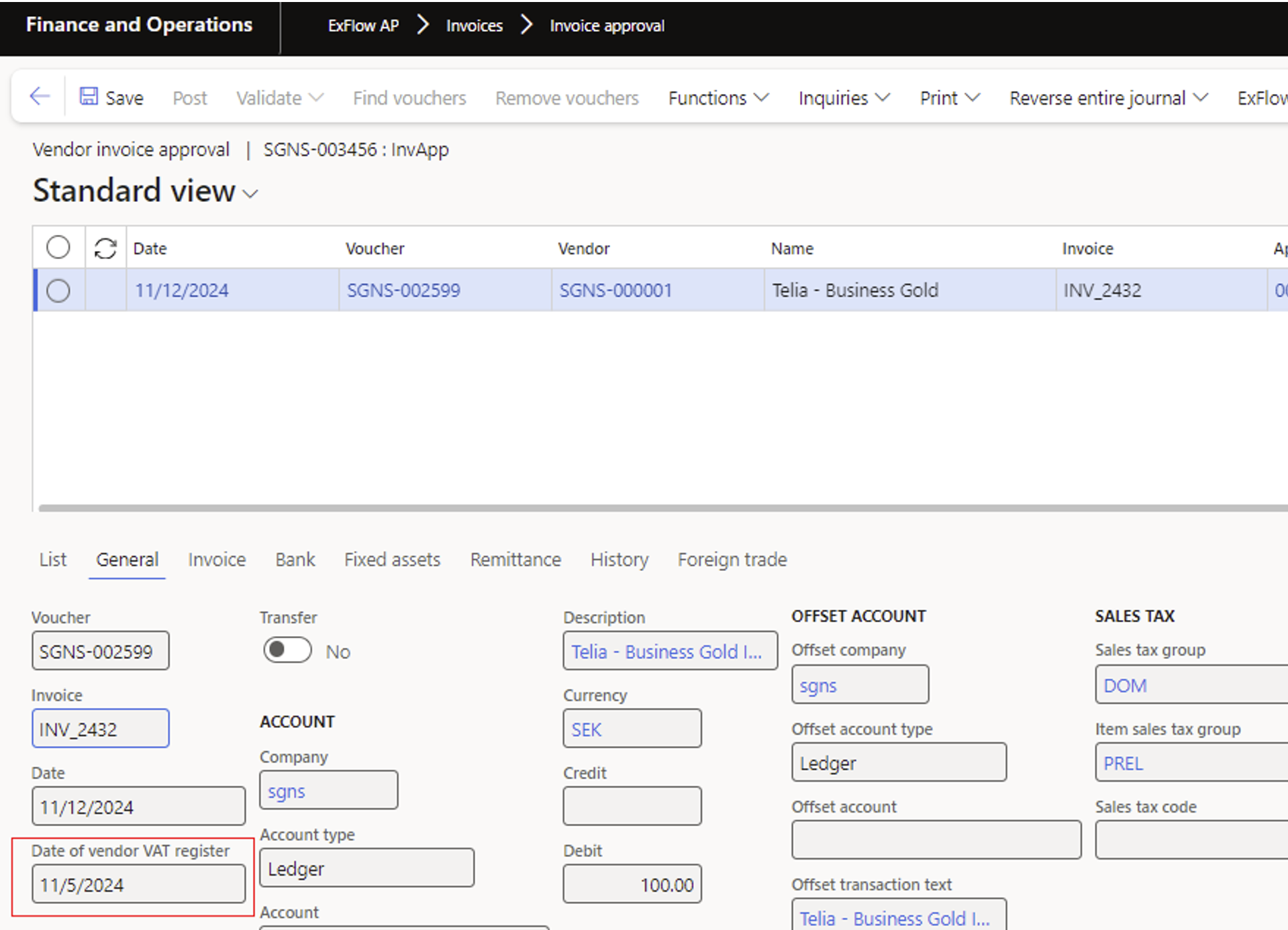
The Date of VAT Register will be included in the postings and carried over to the invoice approval.
Date of Vendor VAT Register
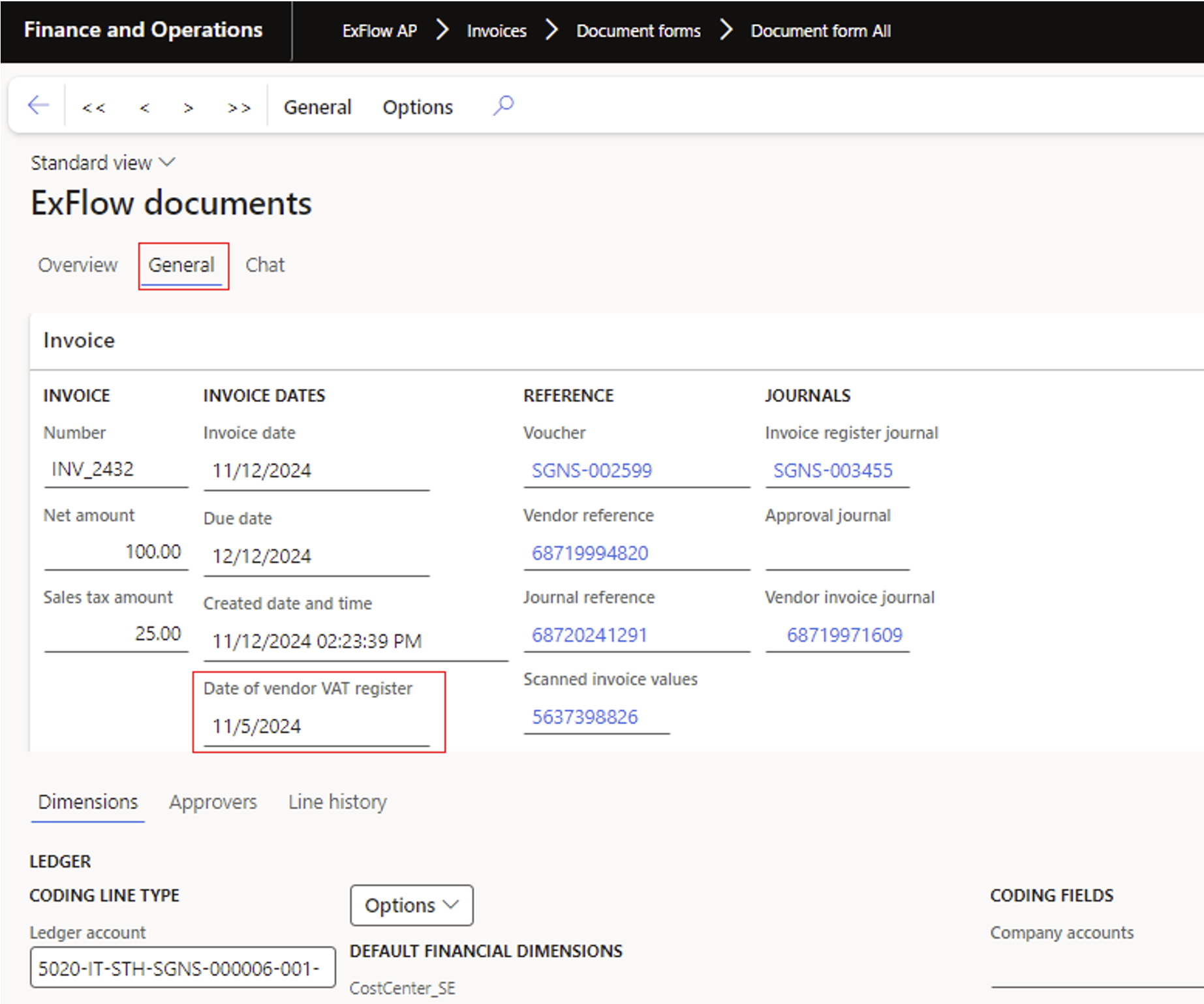
The captured Date of vendor VAT register will also be set on the invoice header – visible under General.
Document form
Invoice approval
Support to import and work with UUID (KSef) number
Purpose
In Poland there is a legal requirement to import a UUID (Ksef number) when invoices are being imported.
This number will follow the invoice from import to posting.
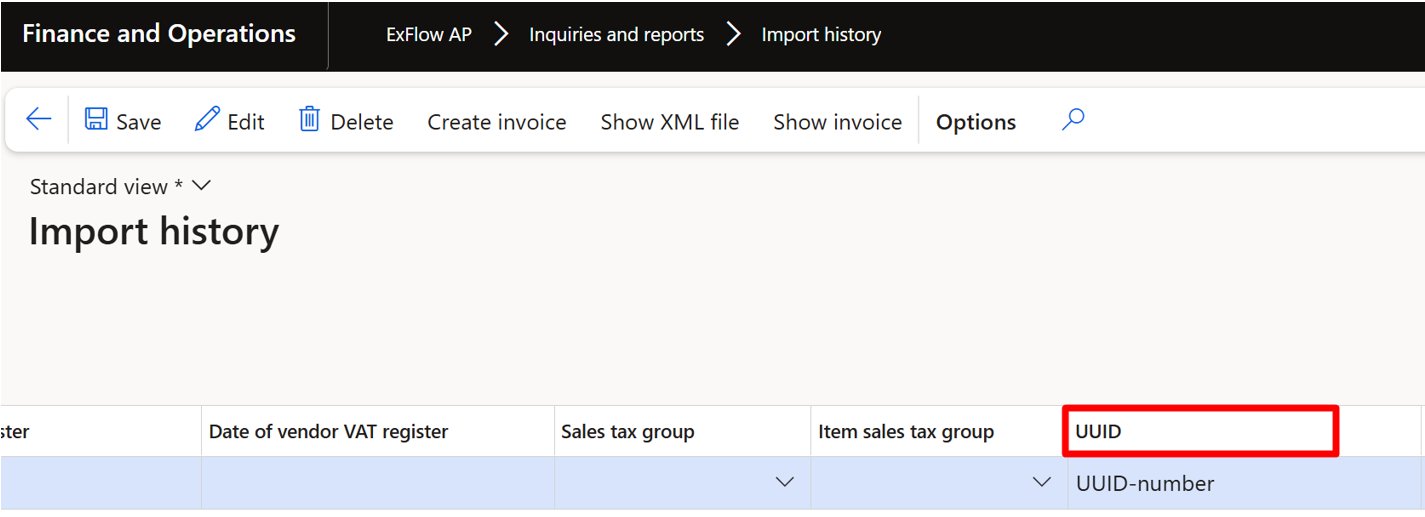
There is new field UUID added in Import history form:
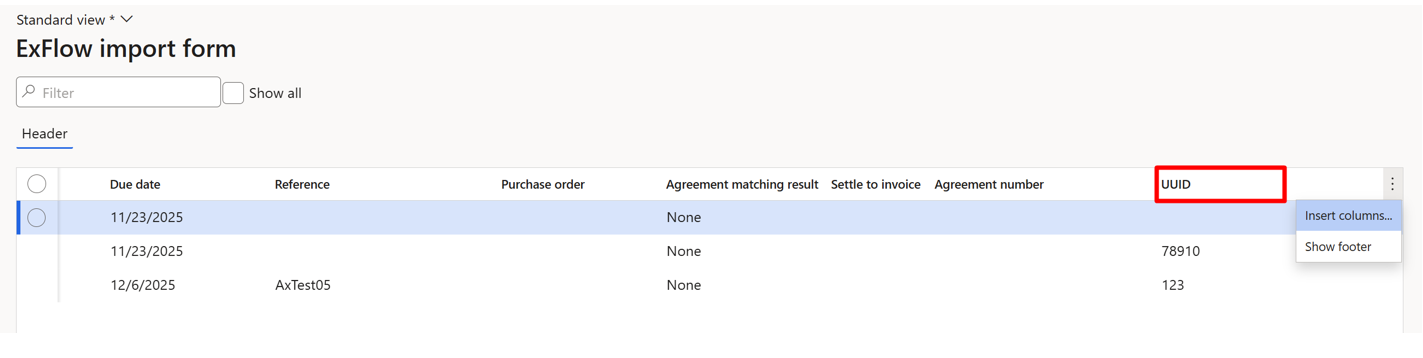
In Import History table the UUID field could be added through three dots button in the upper right corner of the grid list selecting
“Insert columns” and searching for UUID in the popup:
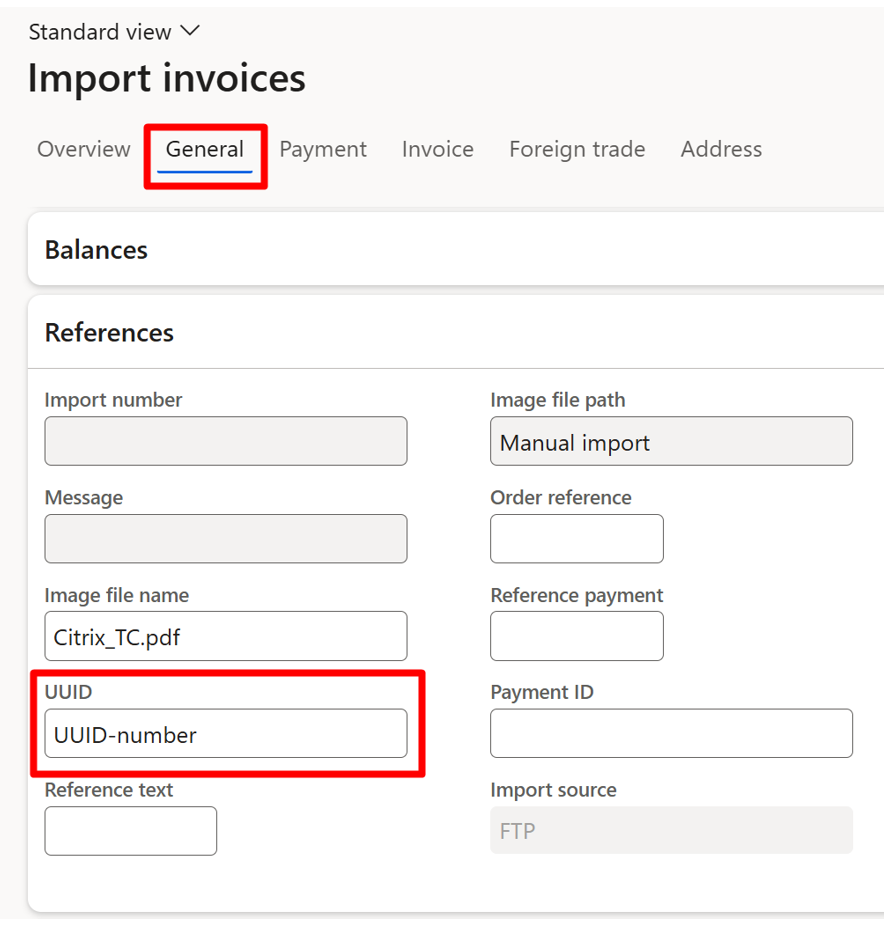
In Import form the UUID field appears under General > References and it is editable:
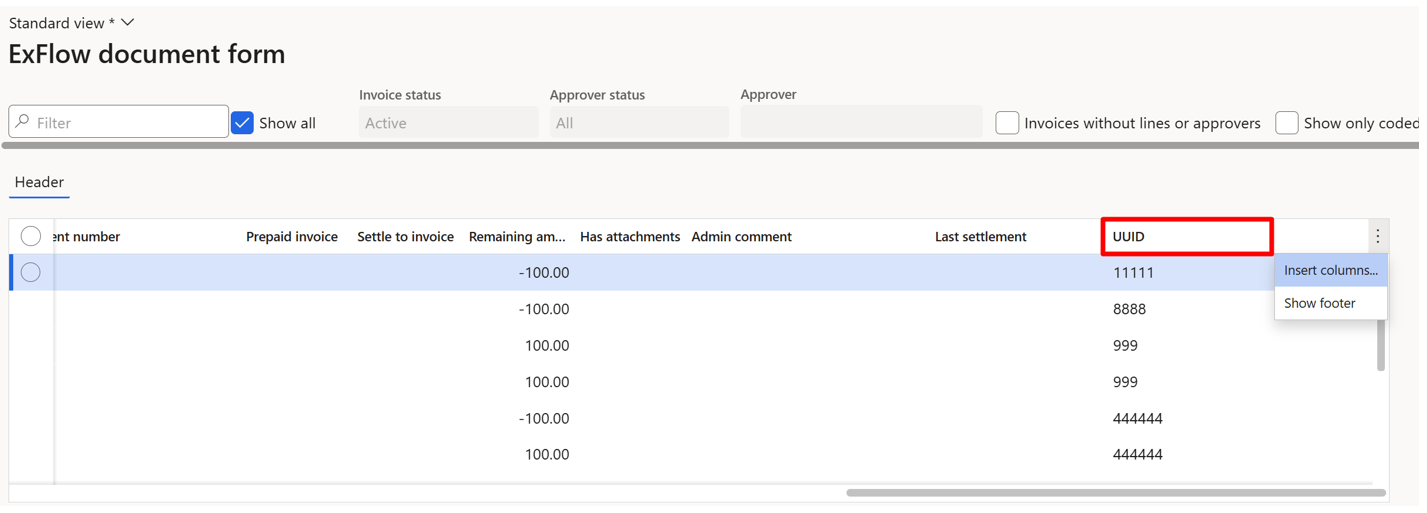
In Document table grid list the UUID field can be added the same way as in Import table:
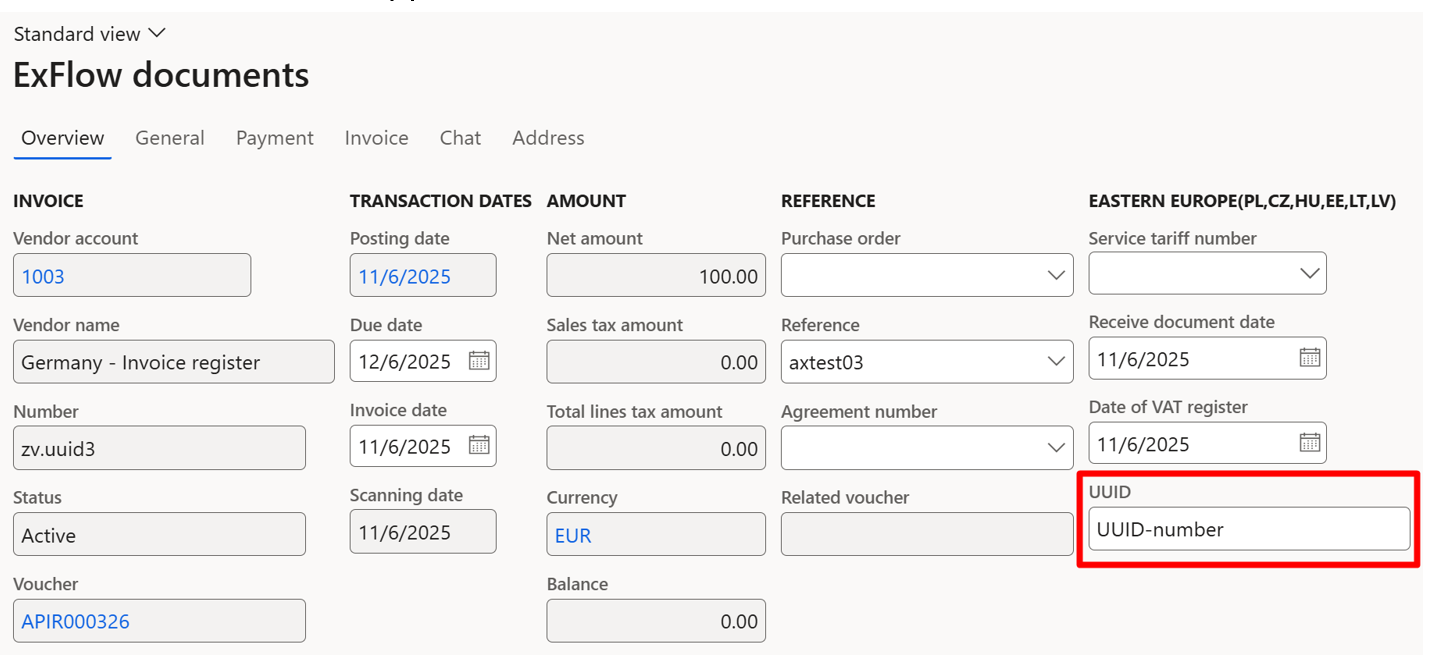
In Document form the UUID field appears in header Overview:
After final posting
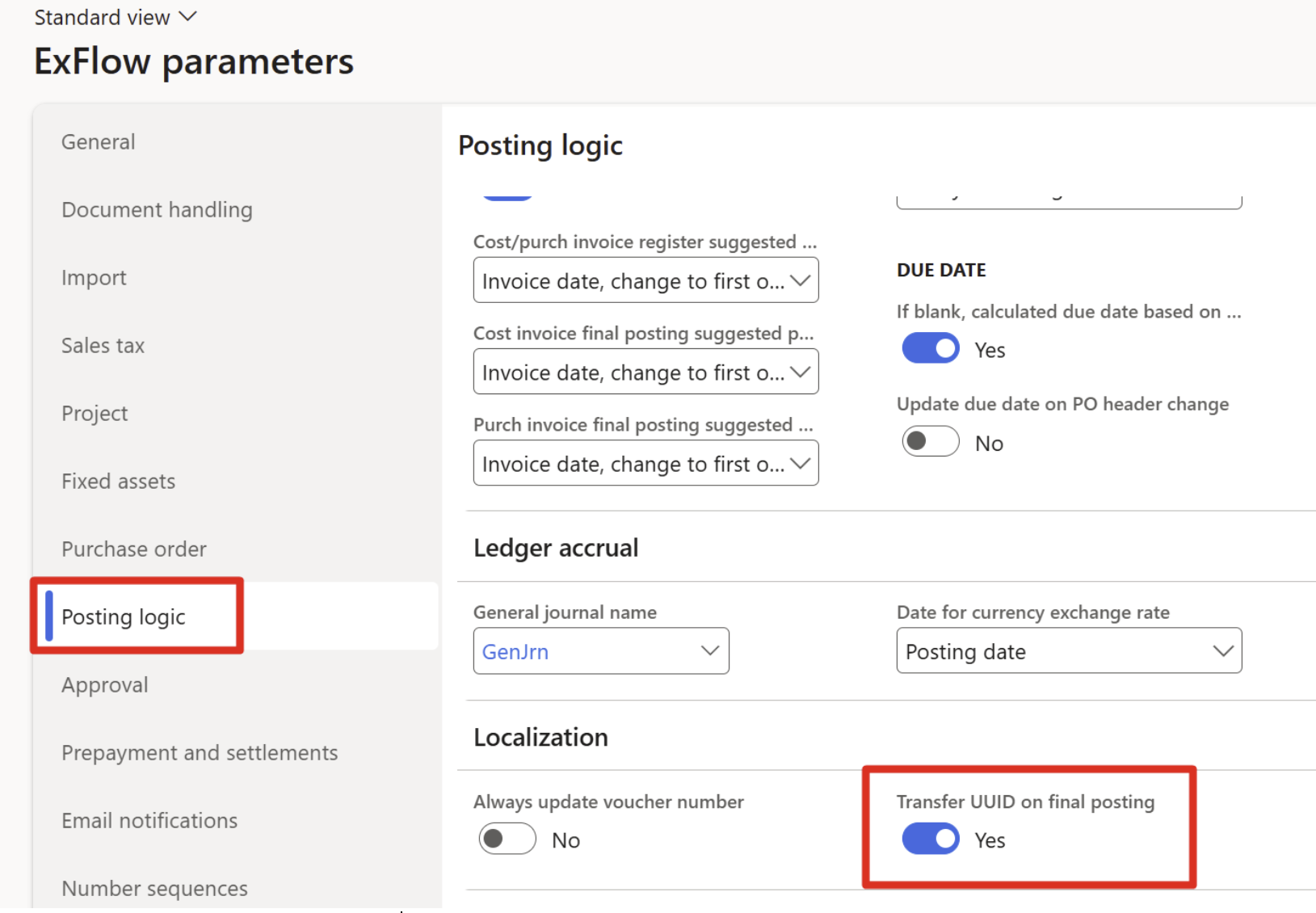
After final posting for cost and purchase order invoices UUID field is going to be populated automatically in an company running the invoice register process if parameter is enabled.
ExFlow AP | Setup | Parameters | Posting logic | Localization (Only visible for Polish LE)
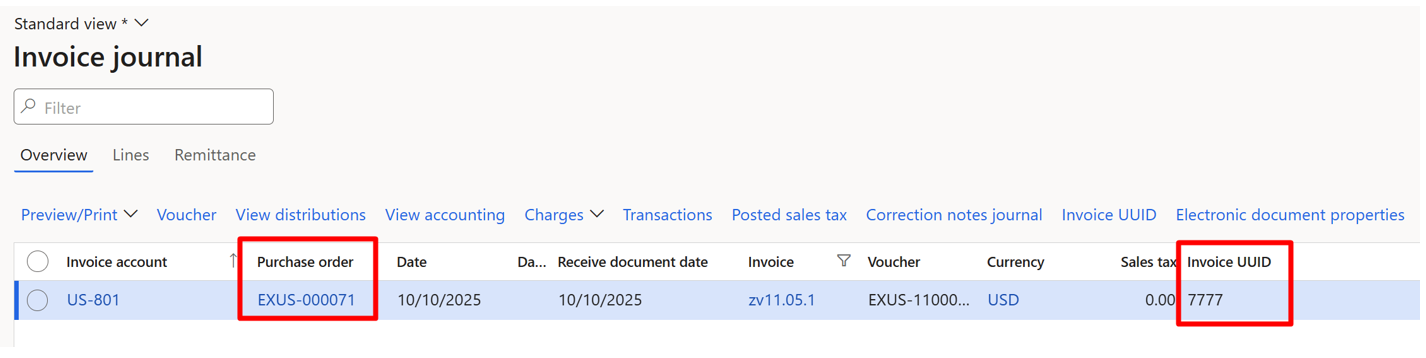
Accounts payable | Inquiries and reports | Invoice | Invoice journal

In Direct posting process after final posting for purchase order invoice the UUID field will be populated automatically:
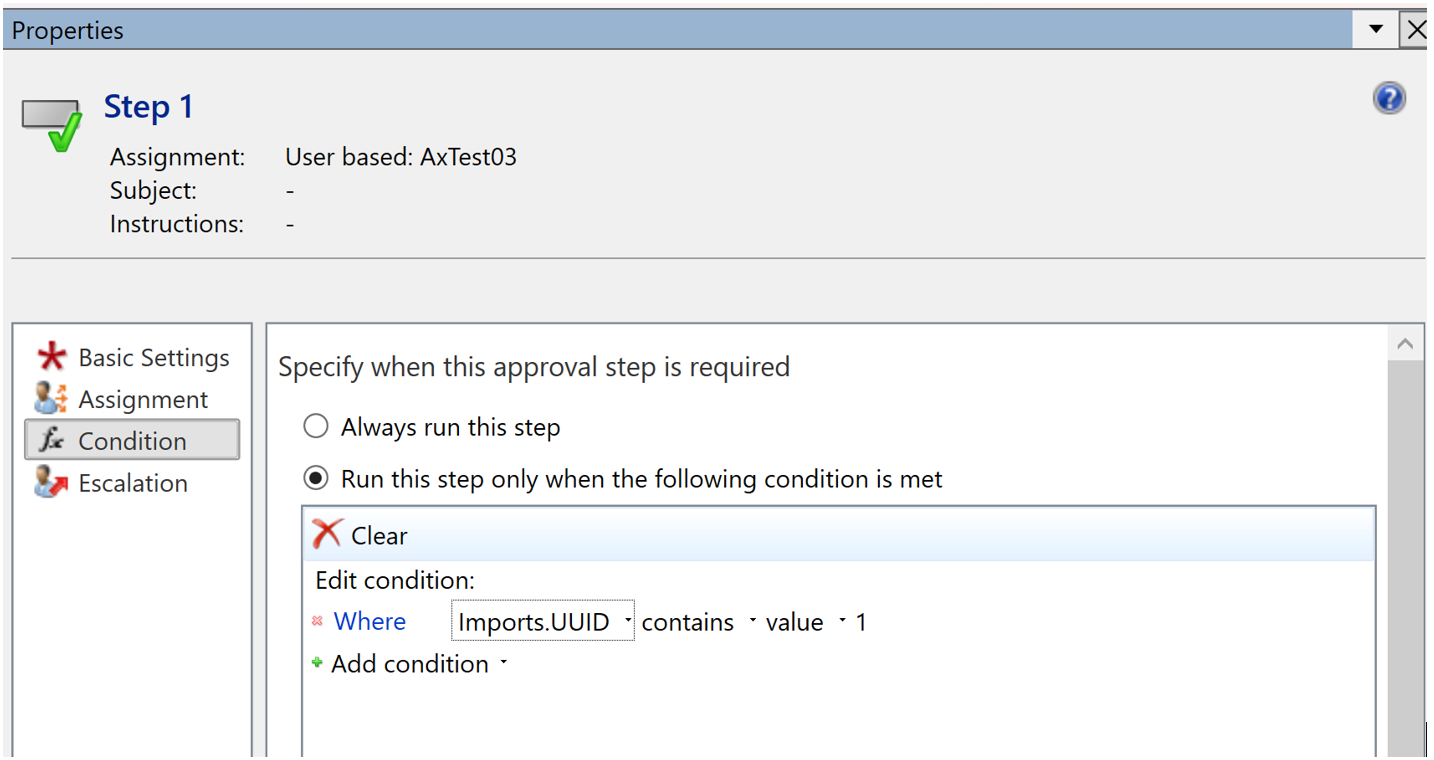
UUID added to workflows as conditions Invoice document.UUID or Imports.UUID in:
- ExFlow Advance approval workflow
- ExFlow post control rules V2
- ExFlow validation exception
- ExFlow validation allowed
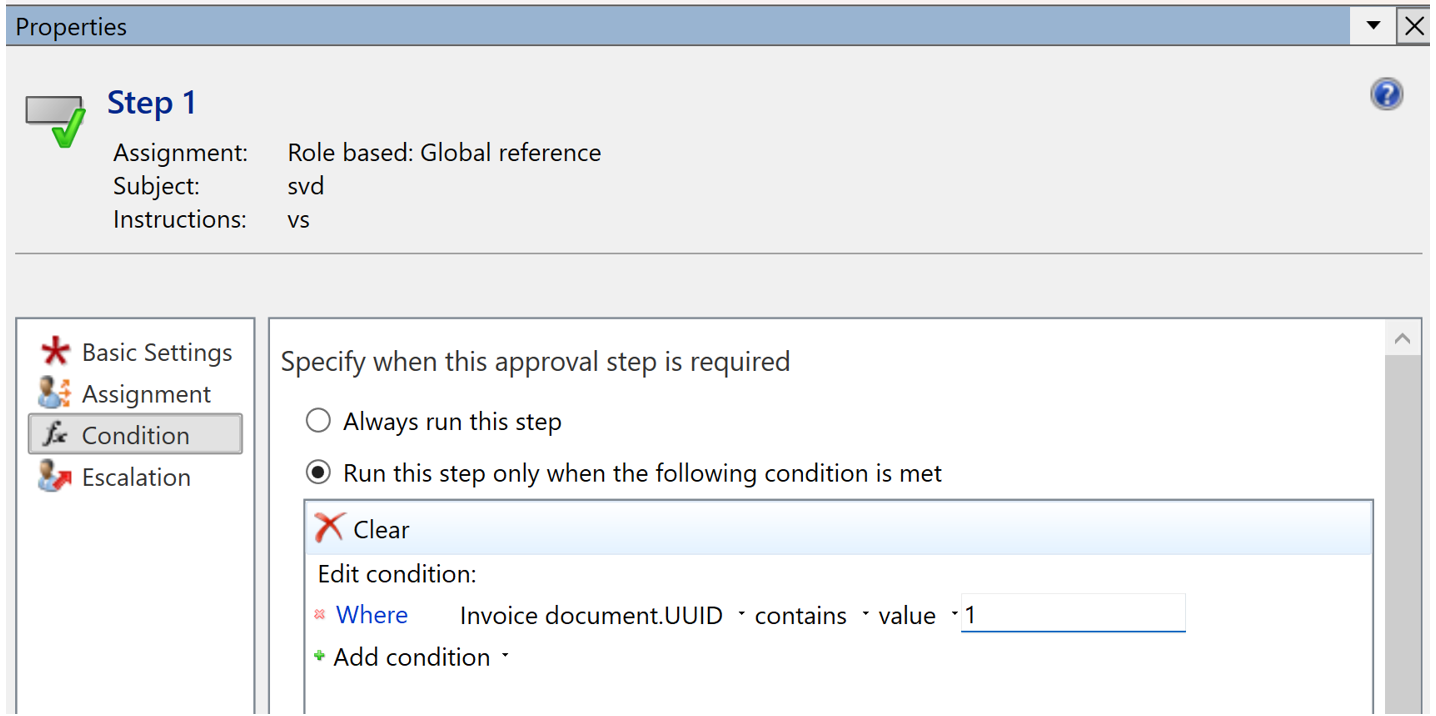
- ExFlow import validation
- ExFlow action import workflow
- ExFlow action document workflow