Prepayments for direct posting process
From ExFlow version 2.19, ExFlow pre-payment process in the direct posting supported for all invoice types.
Import form
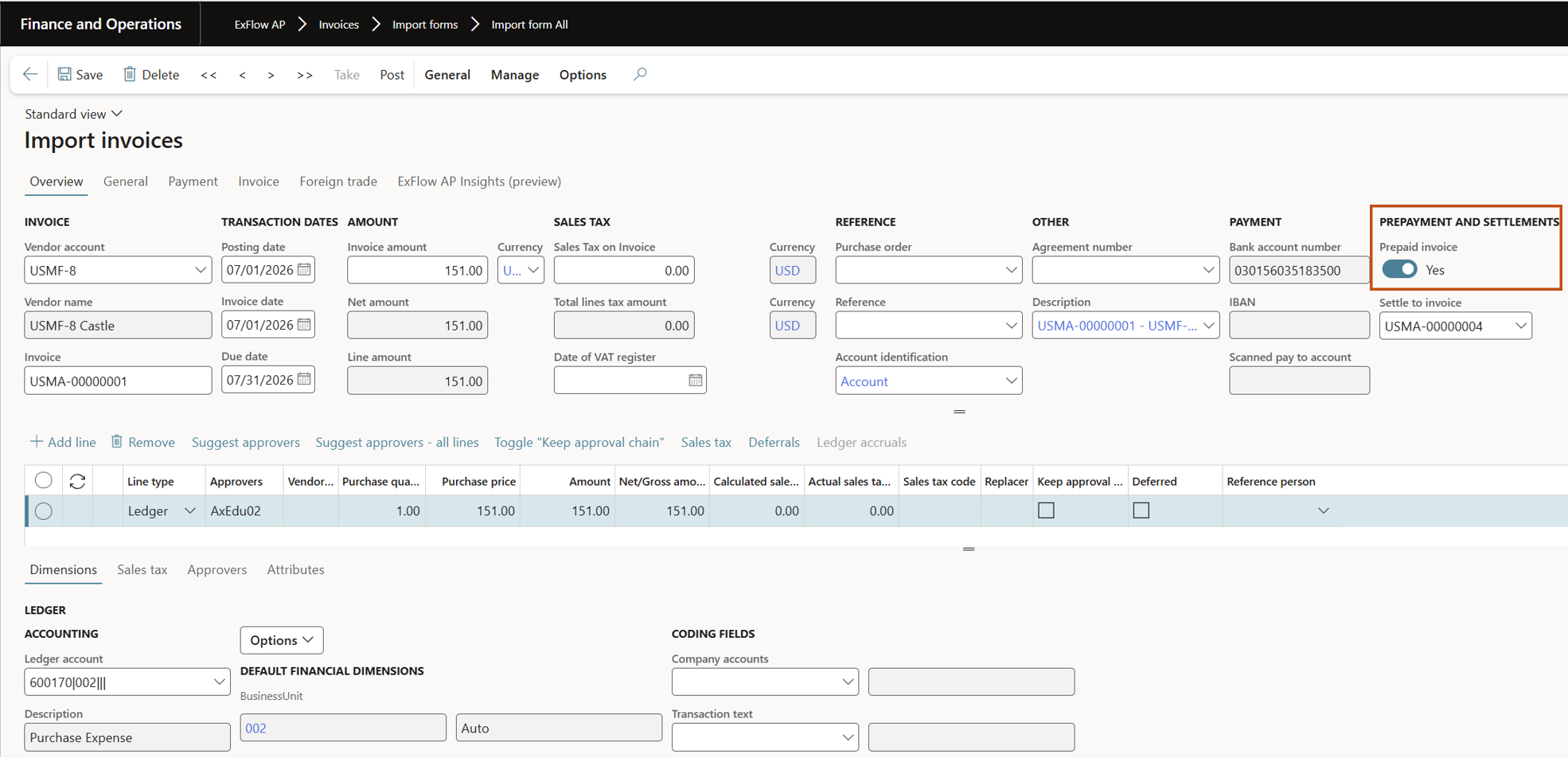
When the invoice is imported you can enable the toggle for "Prepaid invoice" to mark the prepayment invoice and post from Import form.
Document form
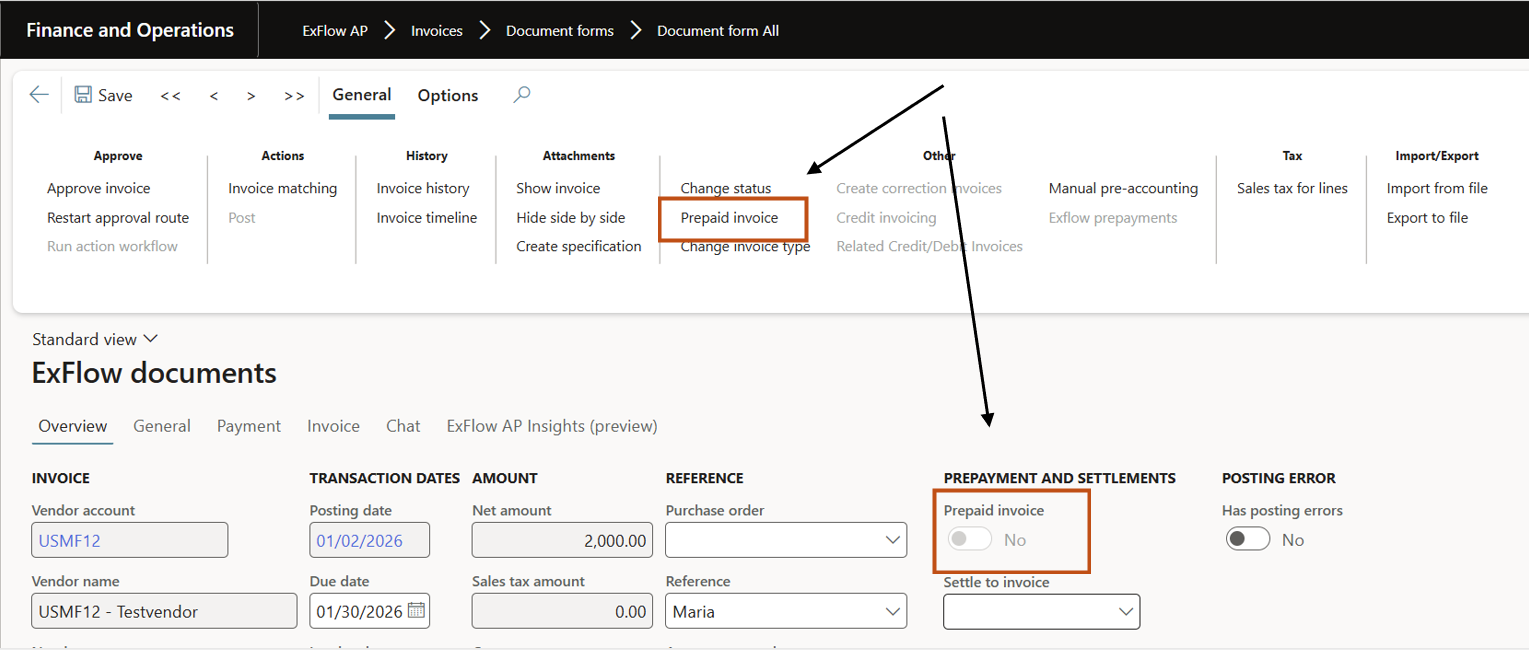
A prepaid invoice can also be modified in document form, navigate to the action pane "General -> Prepaid Invoice".
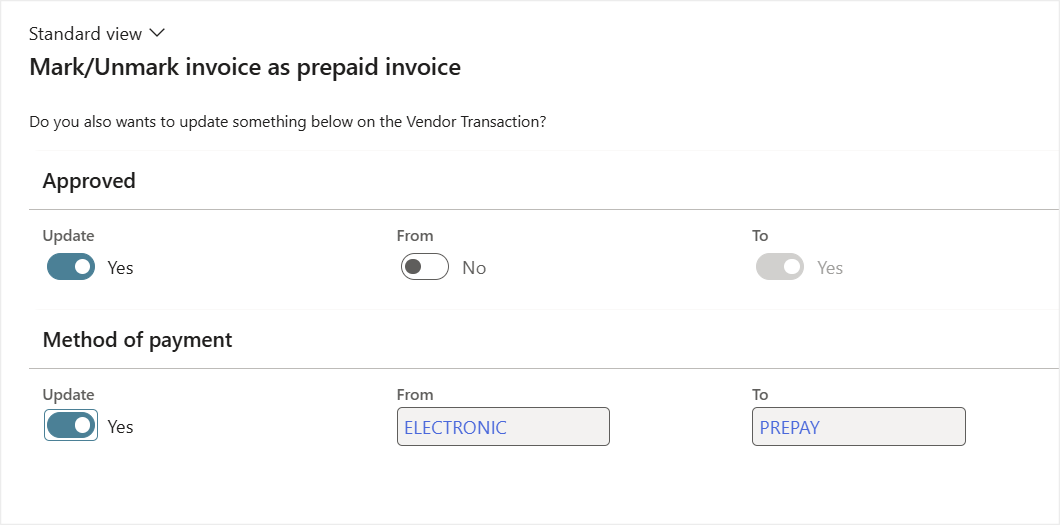
When use button for prepaid invoice, the popup below appears.
In addition to updating the ExFlow document, the values from the vendor transaction are populated to update the vendor transaction record as well.
Vendor payment journal
From ExFlow version 2.19.0 it is available to create a payment journal for only ExFlow prepayment invoices.
- Navigate to Accounts payable -> Payments -> Vendor payment journal.
- Create Vendor payment journal.
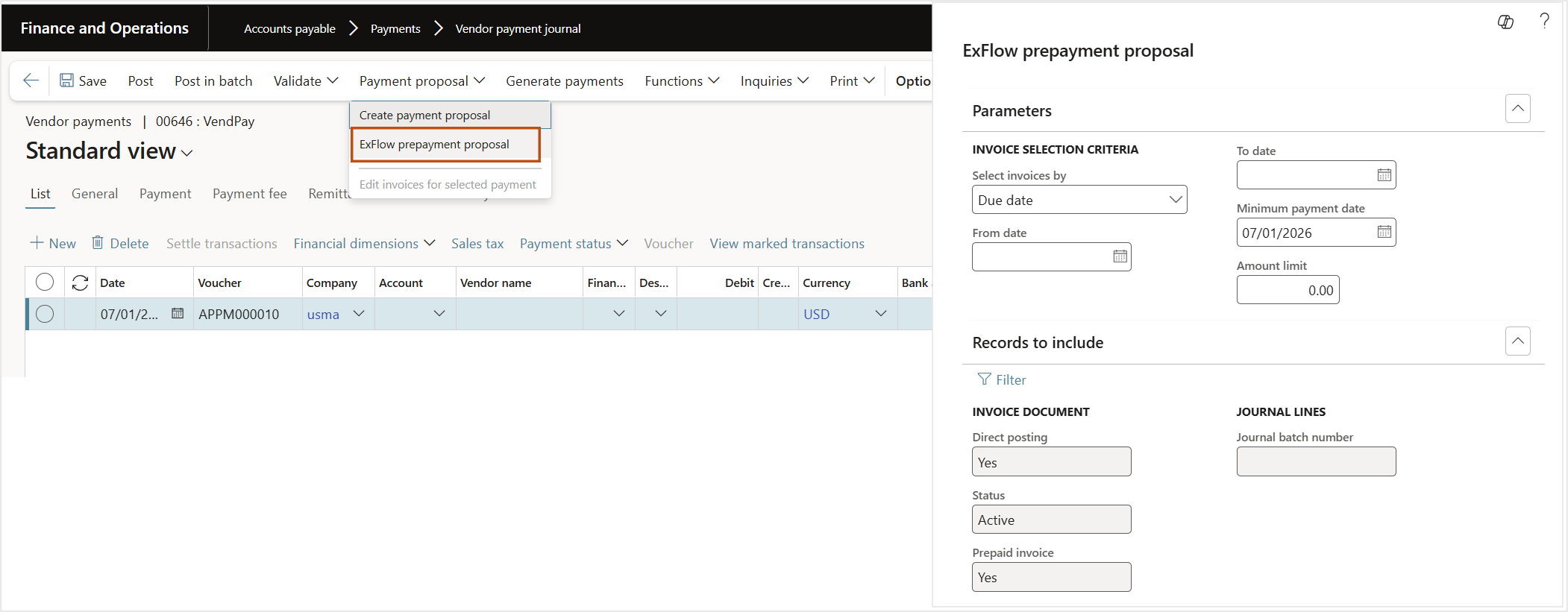
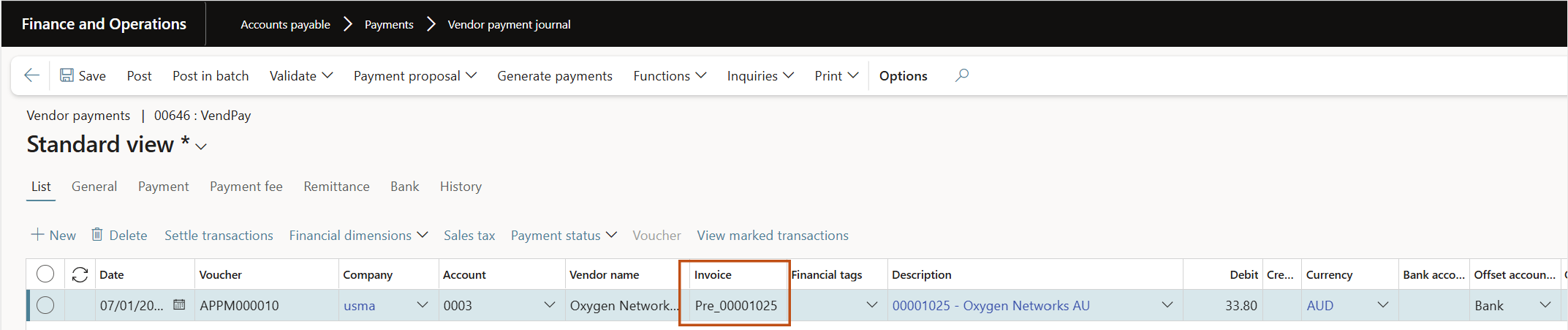
- Fetch ExFlow prepayment invoices -> Select Payment proposal, and choose ExFlow prepayment proposal.
- In the open dialog select criteria´s and press OK.
All ExFlow prepayment invoices for added criteria´s will be fetched for prepayment.
Select the invoices to prepay (check the invoice number, it must carry the Prefix from parameters + ExFlow invoice number, Ex. ExFlow invoice number is 00001025 then the prepayment invoice number must be Pre_00001025).
Then proceed with standard process to handle invoice payments for your company.
Settlement
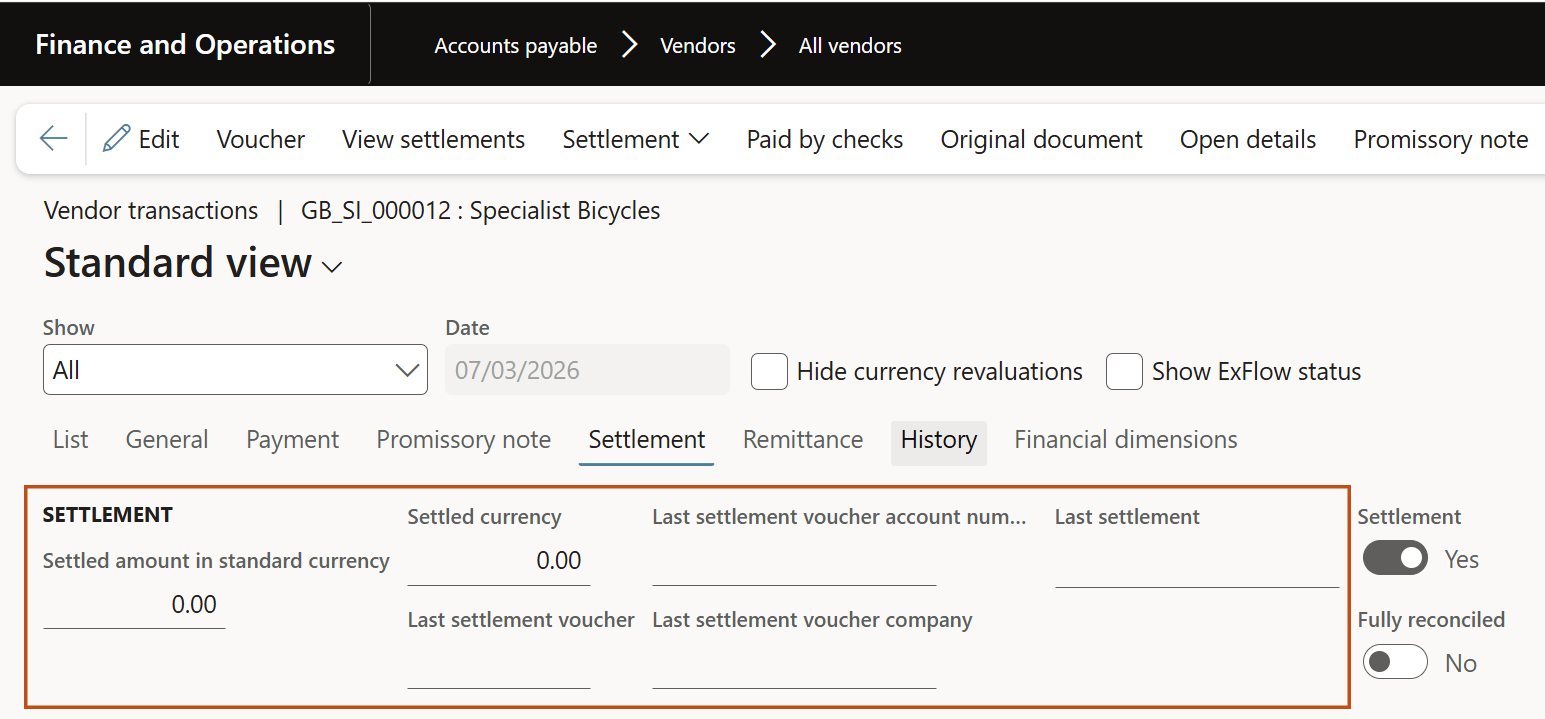
Under Accounts payable -> All Vendors -> check Vendor transactions.
You find that the prepayment invoice is not settled yet, due to ExFlow invoice is not posted.
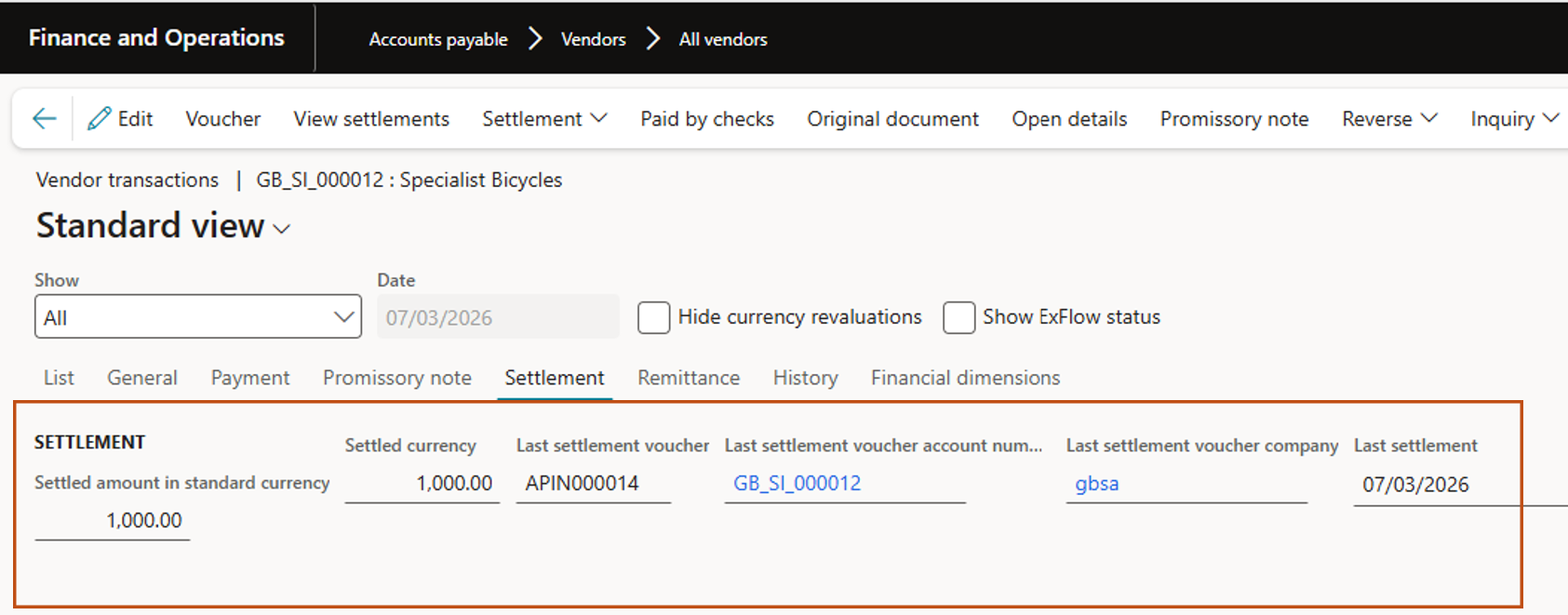
Approve and final post the ExFlow invoice. The Vendor transaction must be settled after posting ExFlow invoice.
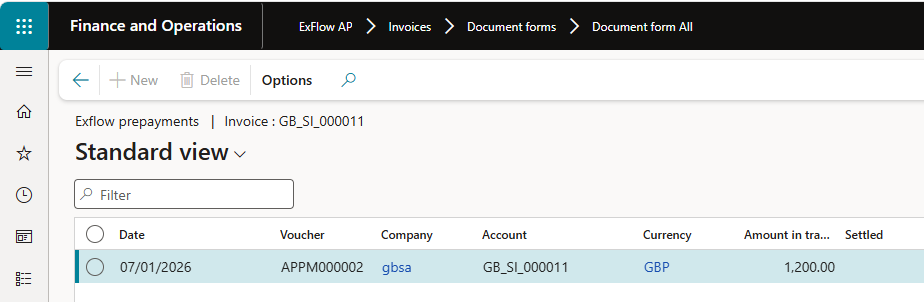
All prepayments done related to ExFlow invoice, can be seen under General-> Other -> ExFlow prepayments, in Document form.

Limitations
- This new logic applies only to direct posting.
- The payment journal must be posted manually.
- For split prepayments, the prepayment invoice number must be updated manually for the second and subsequent invoices to avoid duplicate invoice number errors.